
Quick Links
- Add Overnight Travel
- Add routing for Overnight Travel
- Add flight information
- Need Help?
Add Overnight Travel
1. Open your itinerary in the Itinerary Builder and navigate to the Accommodation step.
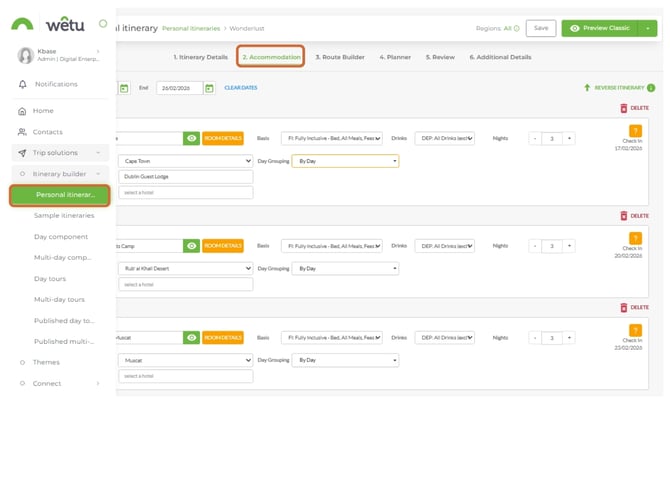
2. Enter the travel dates at the top of the step (if known).
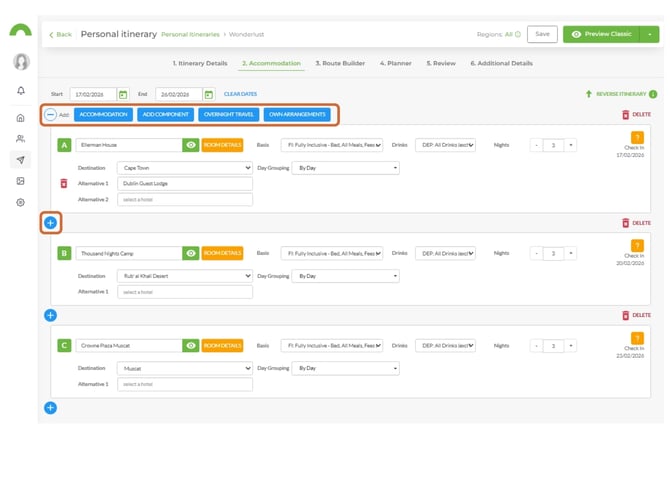
3. Click Overnight Travel below the dates to insert it into the itinerary.
4. Set the number of nights and add any other details such as basis.
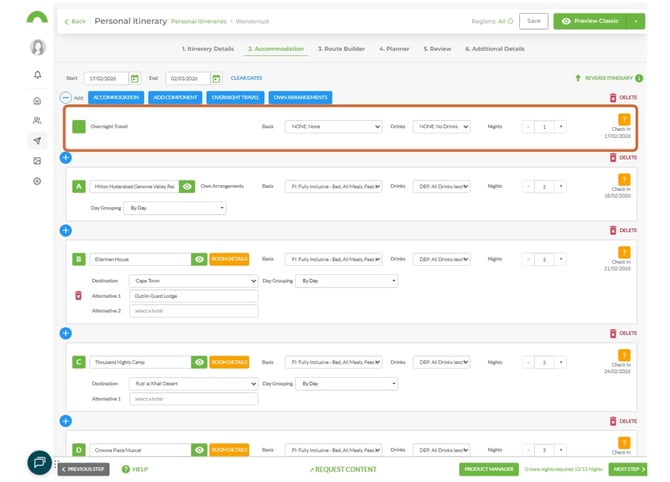
Note: This function is not limited to flights. The same logic applies to any overnight travel not linked to an accommodation.
5. Continue adding accommodations, components, own arrangements, or further overnight travel as needed by clicking the blue button on the left and selecting the applicable service.
Add routing for Overnight Travel
Recommended order
Build the Overnight Travel routes first, then add any routes before and after the overnight leg.
1. Navigate to the Route Builder step.
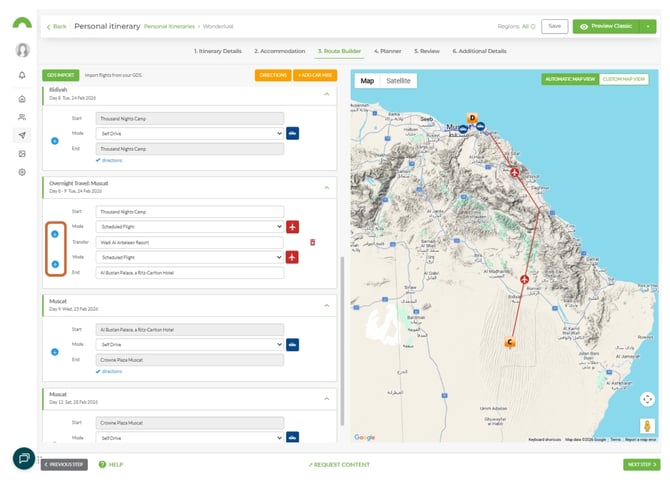
2. Locate the separate routing section for the Overnight Travel leg (separate from Day 1 and the following day's sections).
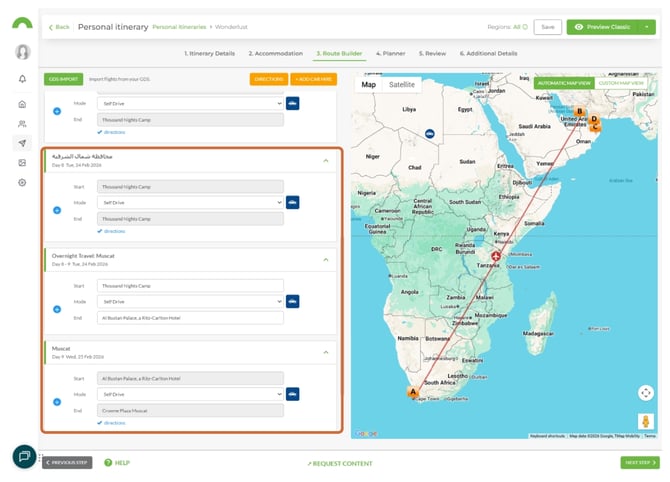
3. In the Overnight Travel section, enter a start location (departure point) and an end location (arrival point).
4. For multi-stop flights, click the blue + button to add intermediate stops.
Add flight information
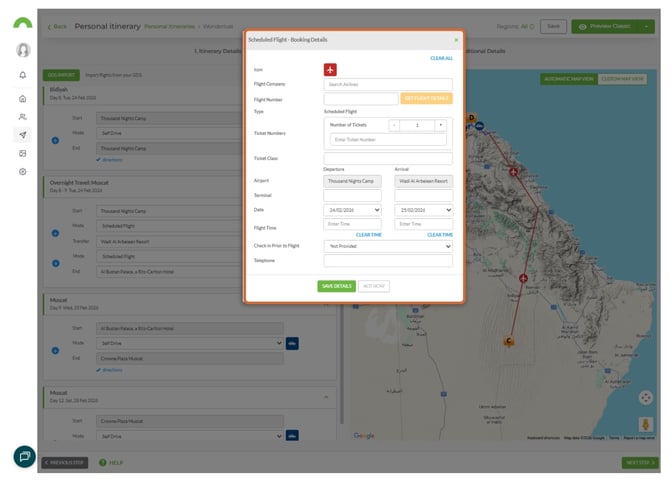
1. Once the overnight route is built, click the Flight icon to open the flight information panel.
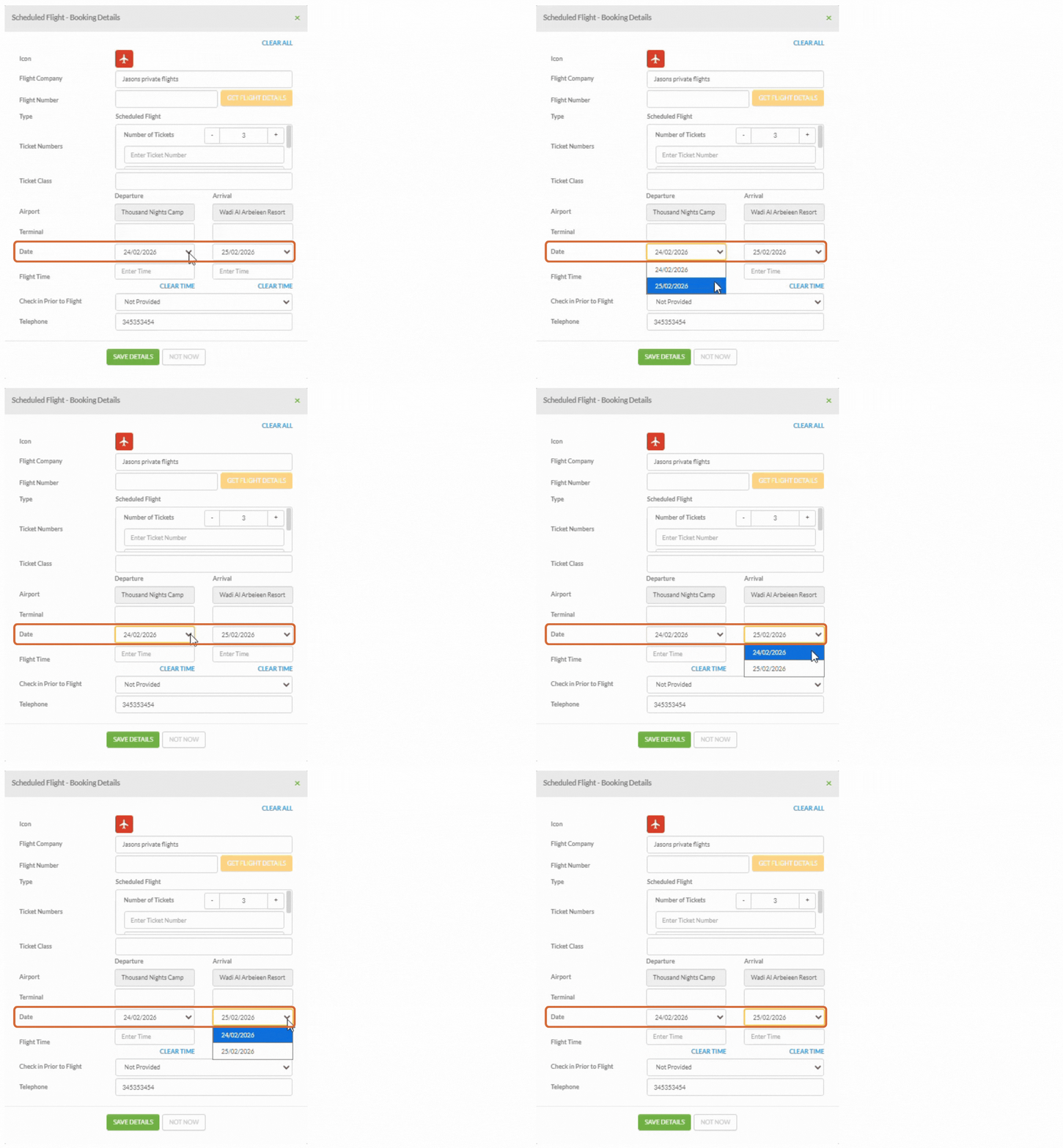
2. Click the dropdown to amend the departure and arrival dates as needed.
Need Help?
- Contact Support: support@wetu.com
- Live Chat: Available on your Dashboard