
|
Quick Links |
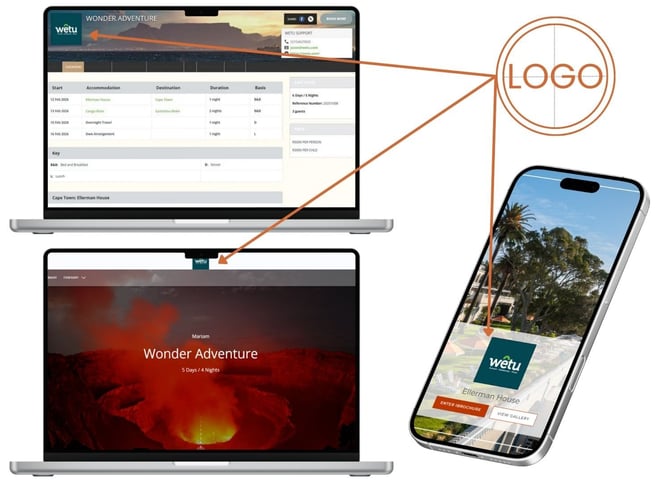
Where your logo appears
Your logo is automatically included in:
- Trip itineraries you create
- Proposals you send to clients
- Your company profile page
- Email communications from your account
Uploading your company logo
First time upload:
1. Log in to your Wetu account
2. Click on Account Setup in the pop out menu on the left
3. Click Account in the drop down menu.
4. Select Company Details
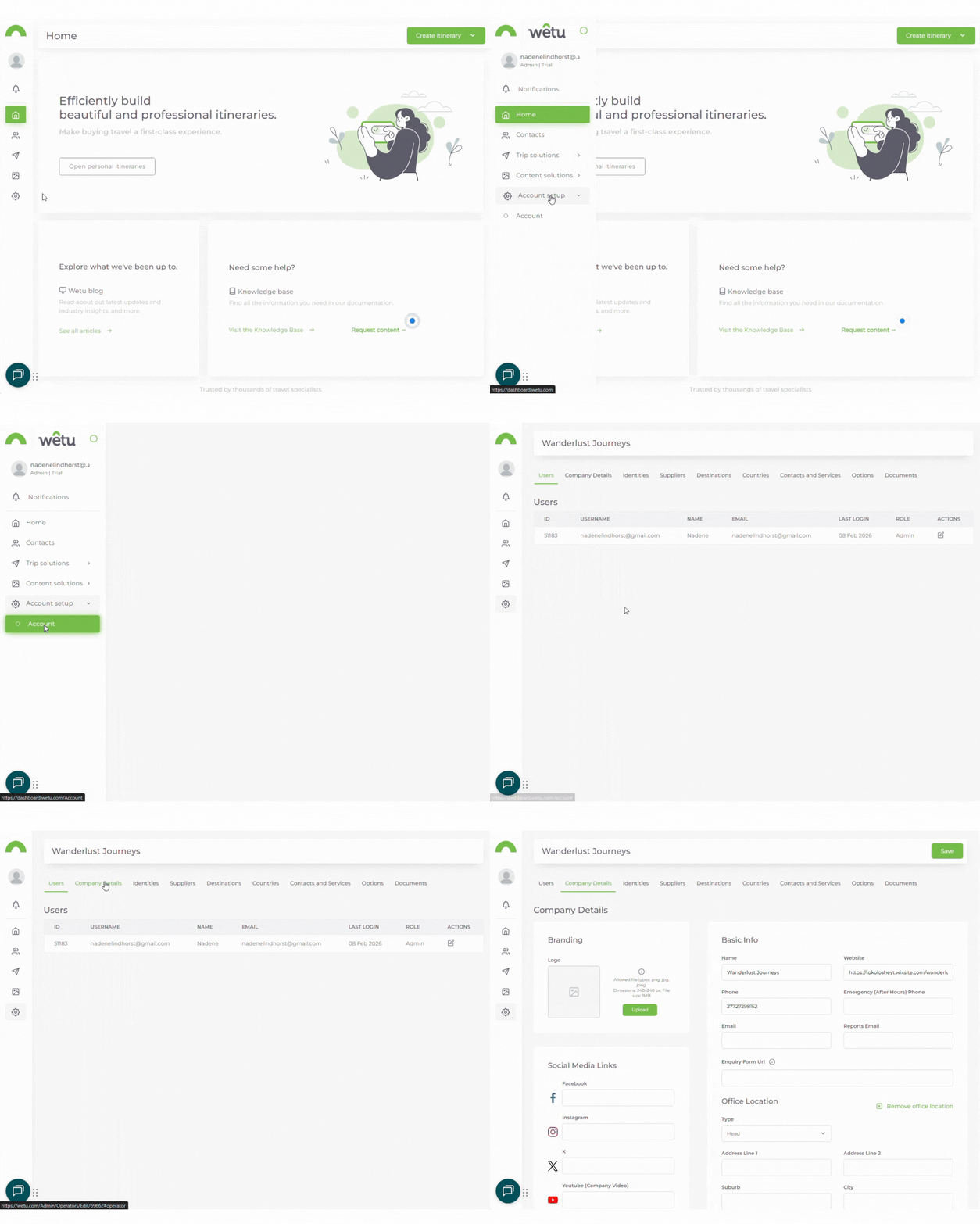
5. Click Upload or Change
6. Choose your logo file from your computer
7. Click Open
8. Don't forget to press save
You will follow steps 5 - 8 to change your logo.
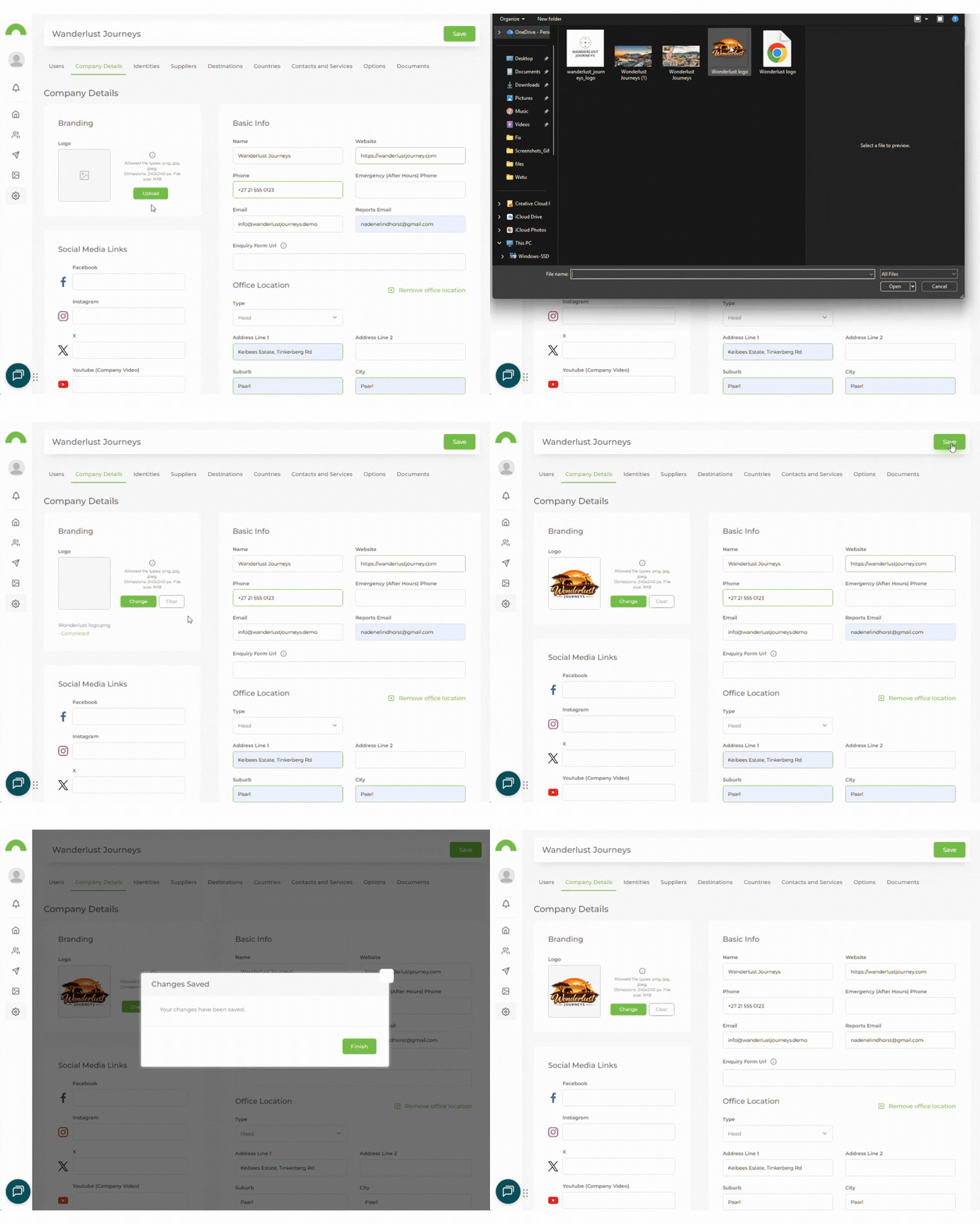
Note: Your logo will upload and appear in the preview box.
Logo requirements:
Before uploading, make sure your logo meets these requirements:
Tip: A PNG file with a transparent background will blend seamlessly into your itineraries and proposals.
Removing your logo
If you need to remove your logo temporarily:
1. Follow the same steps, "Upload your company logo"
2. Click the clear button next to your current logo
3. Click Save
Warning: Removing your logo will affect all new documents. Previously created itineraries and proposals will keep the original logo.
Need help?
Contact our support team at support@wetu.com or use the chat widget in the bottom-left corner.
We can help you optimize your logo file or troubleshoot upload issues.