
Quick Links
- Getting started
- Set room types
- Room configuration
- Number of rooms
- Hide room types
- Itinerary outputs
- Need Help?
Getting started
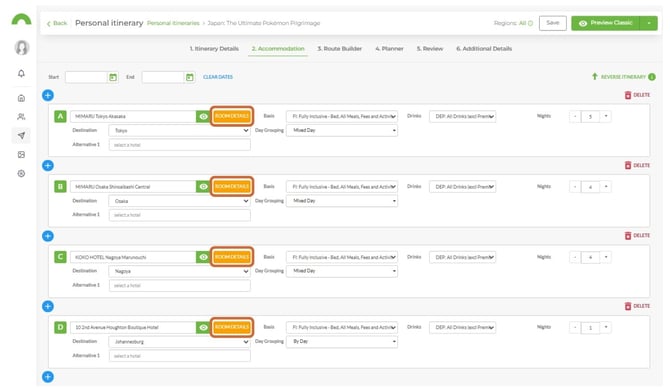
Note: Accommodation must already be added to the itinerary before you can add or edit room types
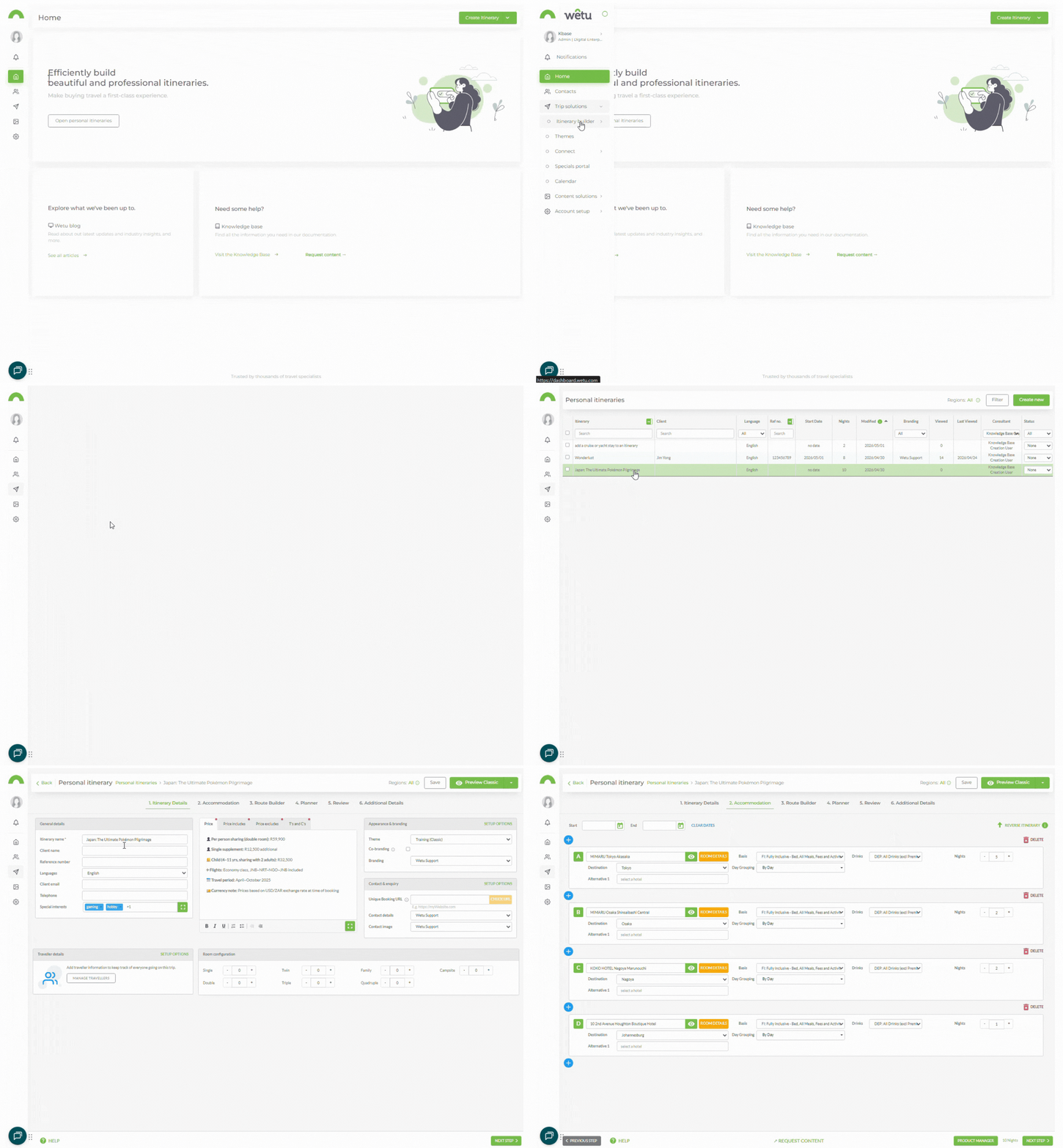
1. Open the itinerary and navigate to Step 2: Accommodation.
Set room types
Select from the dropdown
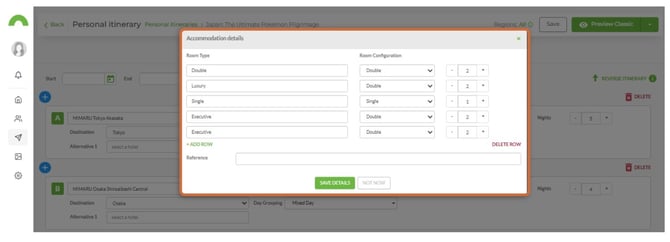
1. Select the applicable room type(s) from the dropdown menu(s).
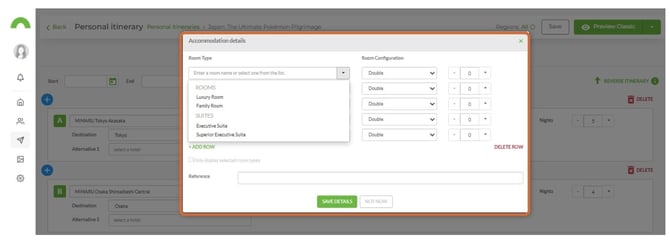
Note: Room types in the dropdown are pulled from content loaded by the accommodation supplier on Wetu. Selecting one will display the room type's description and images on the itinerary output.
Enter a room type manually
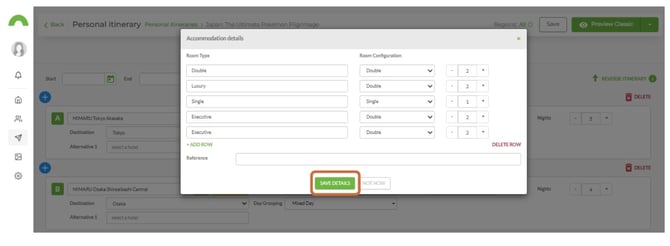
1. If the room type is not listed, type the name directly into the room type field.
2. Click Save Details to save the room types.
Room configuration
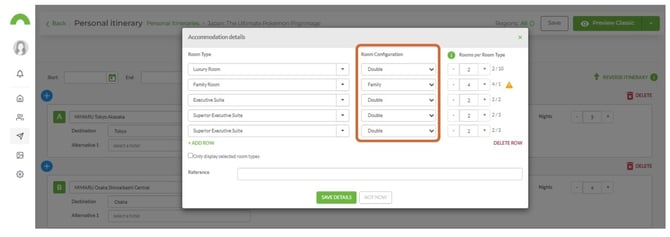
1. Once room types are set, specify the room configuration for each type.
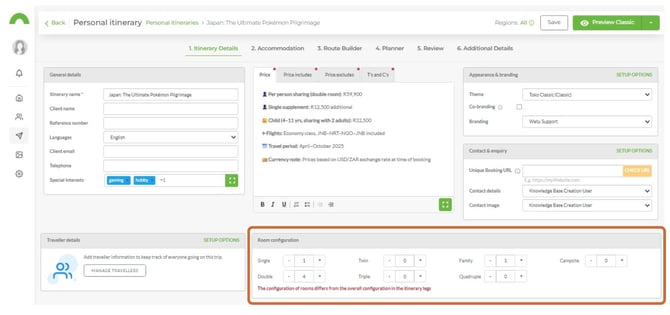
Note: Room configuration can also be set in Step 1 (Itinerary Details) at the bottom right of the screen. Any configuration added there will pull through to the Room Details window in Step 2.
Number of rooms
If the supplier has specified the number of rooms available for a particular room type, this will display to the right of the room type in the Room Details window.
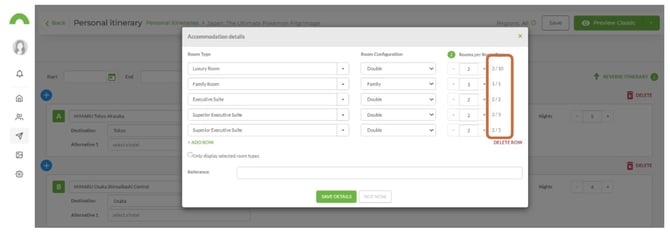
Note: If you select more rooms than the supplier has available, a warning icon will appear.
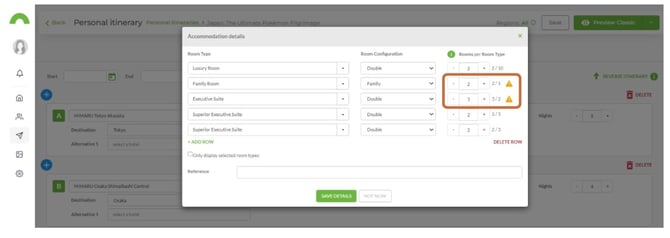
Hide room types
1. Tick the Only display selected room types checkbox.
2. Only the room types you have selected will appear on the itinerary output.
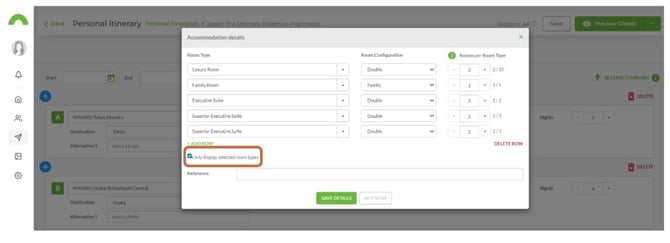
Note: Use this when you have a specific arrangement with an accommodation provider about which room types a client may choose from as part of a package.
Itinerary outputs
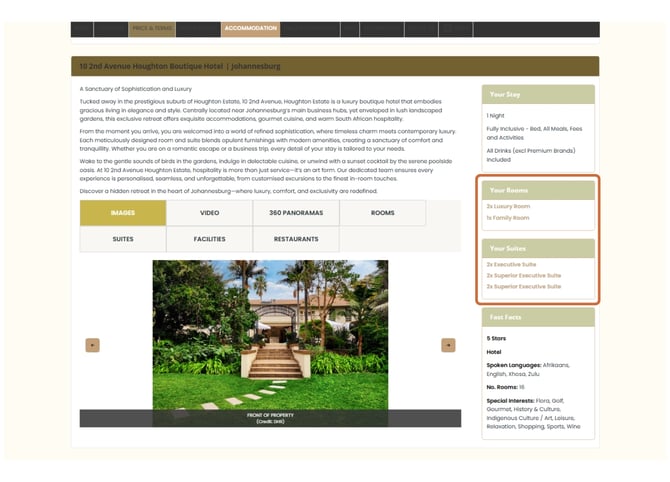
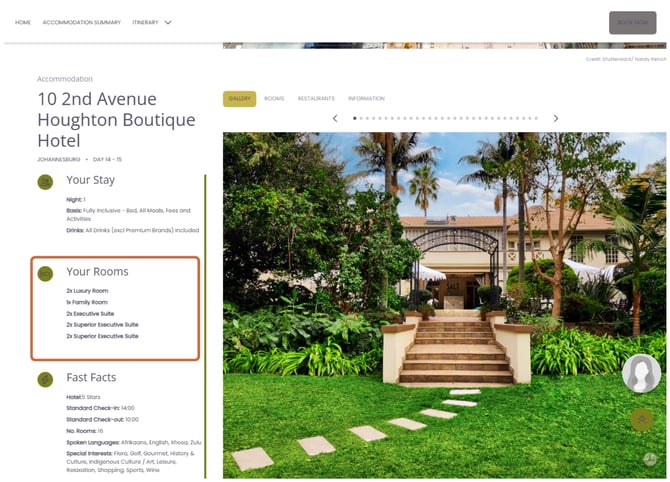
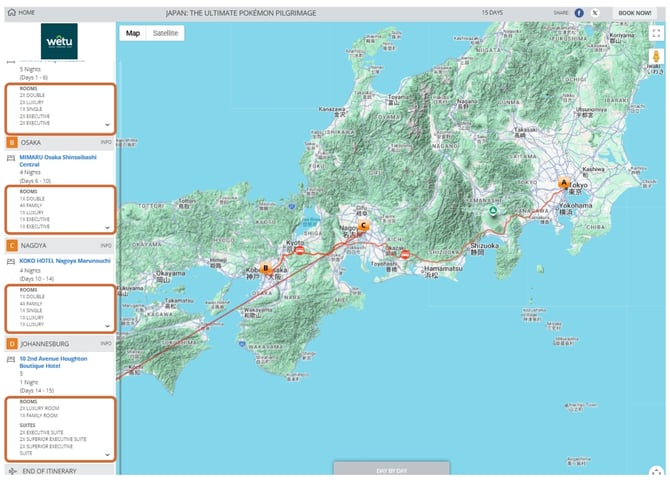
Room types and room configuration appear under the Accommodation tab on all itinerary outputs.
| Output | Where room details display |
|---|---|
| Classic | Under the Accommodation tab |
| Discovery | Under the Accommodation tab |
| Virtual | Under the Accommodation tab |
Classic
Discovery
Virtual
Need Help?
- Contact Support: support@wetu.com
- Live Chat: Available on your Dashboard