
Quick Links
- Getting started
- Linking an itinerary
- Managing linked itineraries
- Need help?
Getting started
Step 1
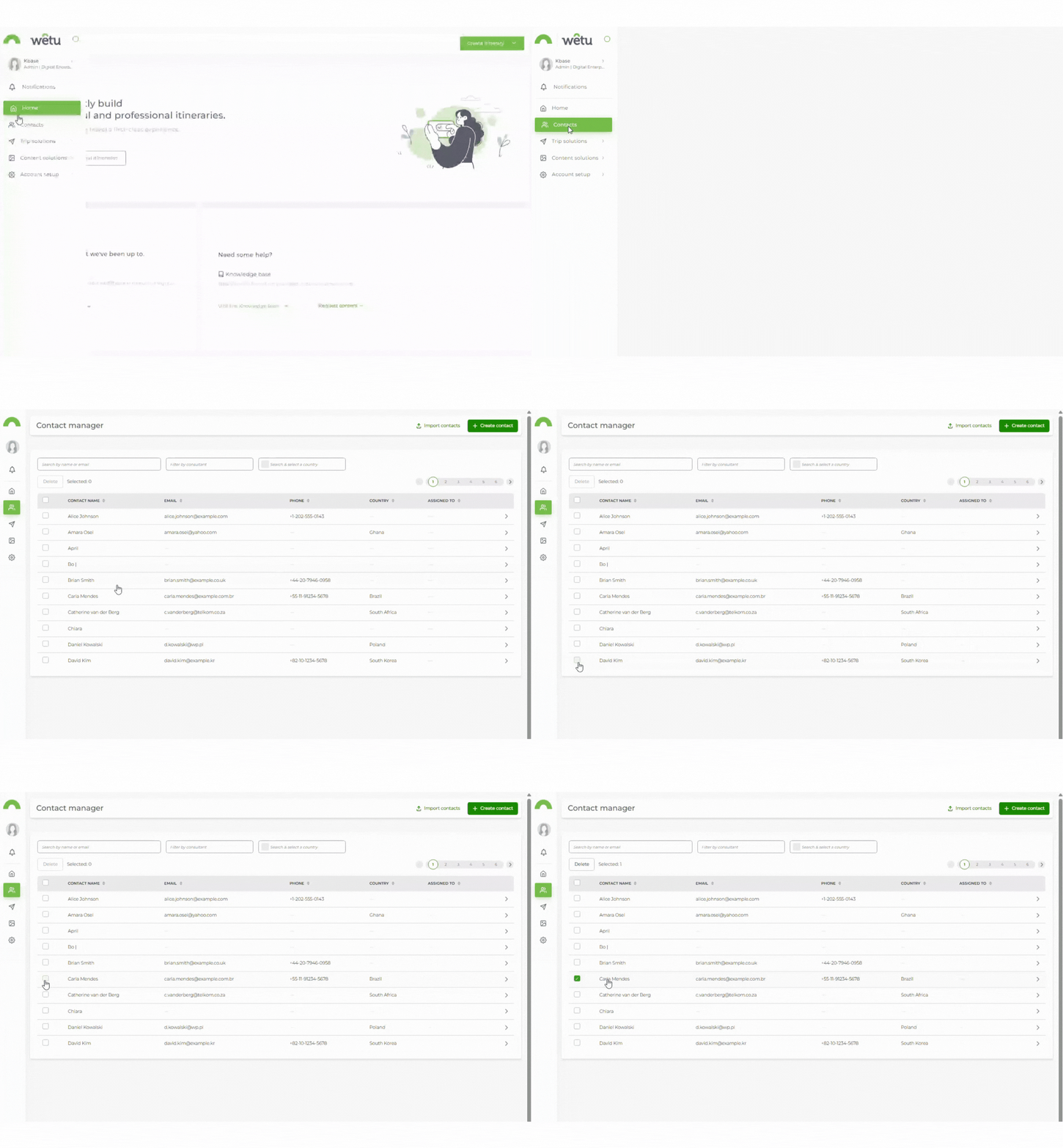
Open the Contact Manager and select the traveller contact you want to work with.
Step 2
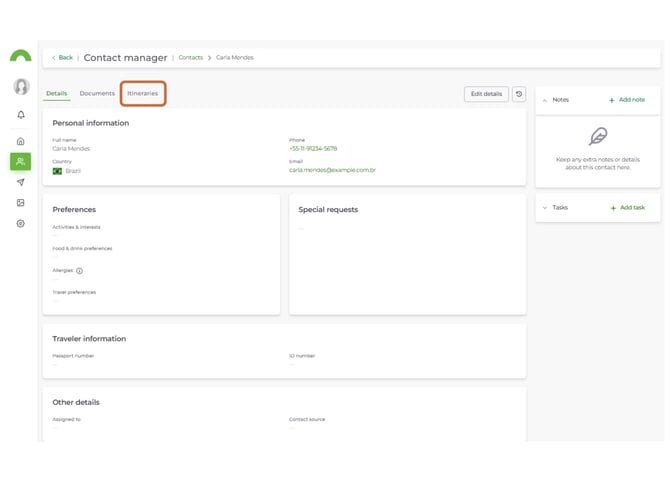
Select the Itinreries tab from the menu at the top of the contact profile.
Linking an itinerary
Step 3
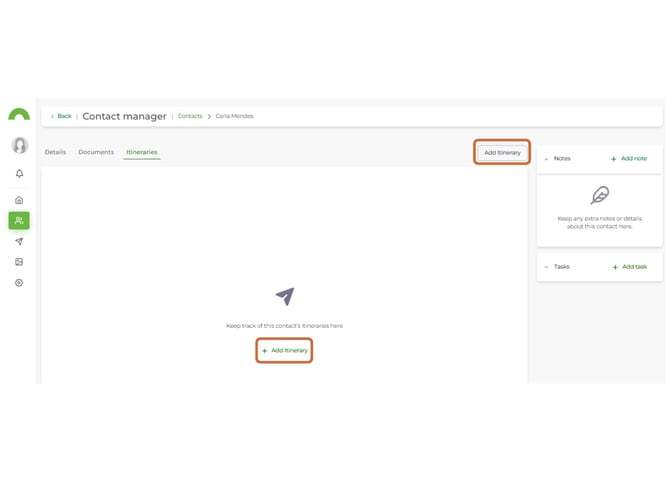
Click Add Itinerary in the top right corner.
Step 4
In the pop-up, search for the itinerary you want to link using:
- Itinerary Name
- Itinerary Reference Number
- Start Date
Select the plus icon to link the itinerary to the contact's profile.
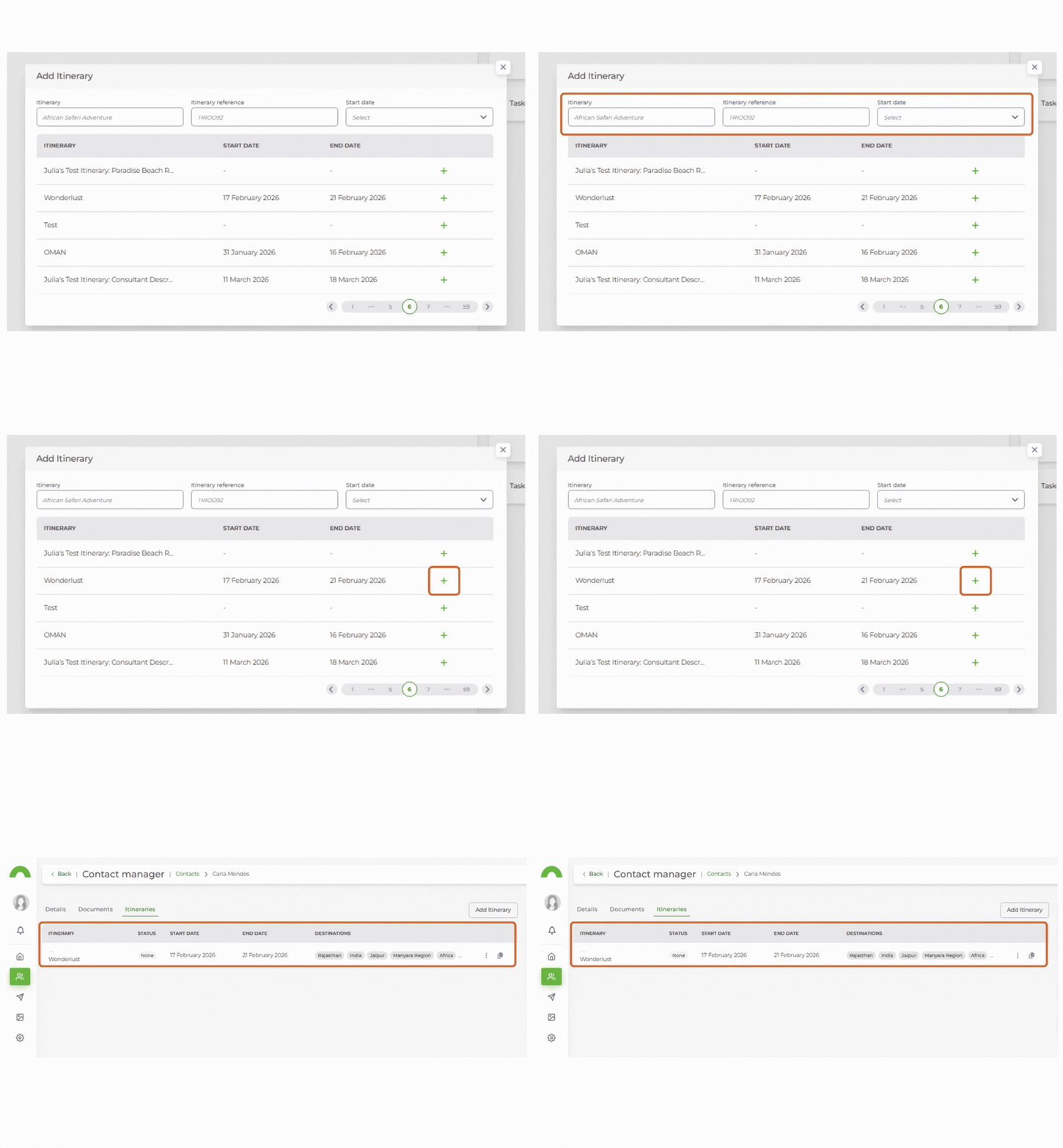
Note: Only enabled itineraries appear in the list. Disabled itineraries will not appear until they are re-enabled.
Step 5
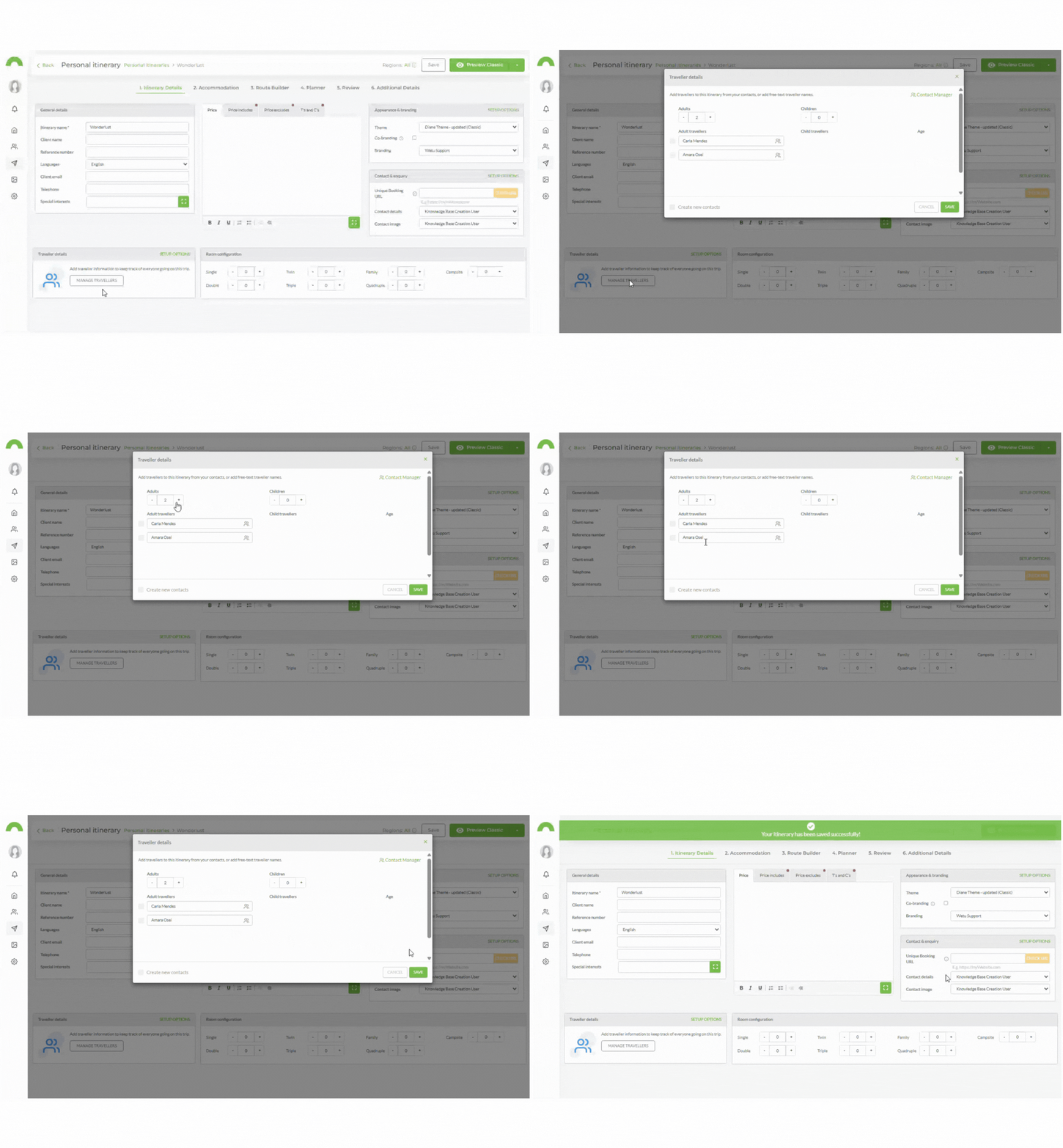
When you add a contact from the Contact Manager to a Personal Itinerary, the trip will automatically link to their profile. New Personal Itineraries do not need to be manually linked.
Managing linked itineraries
Step 6
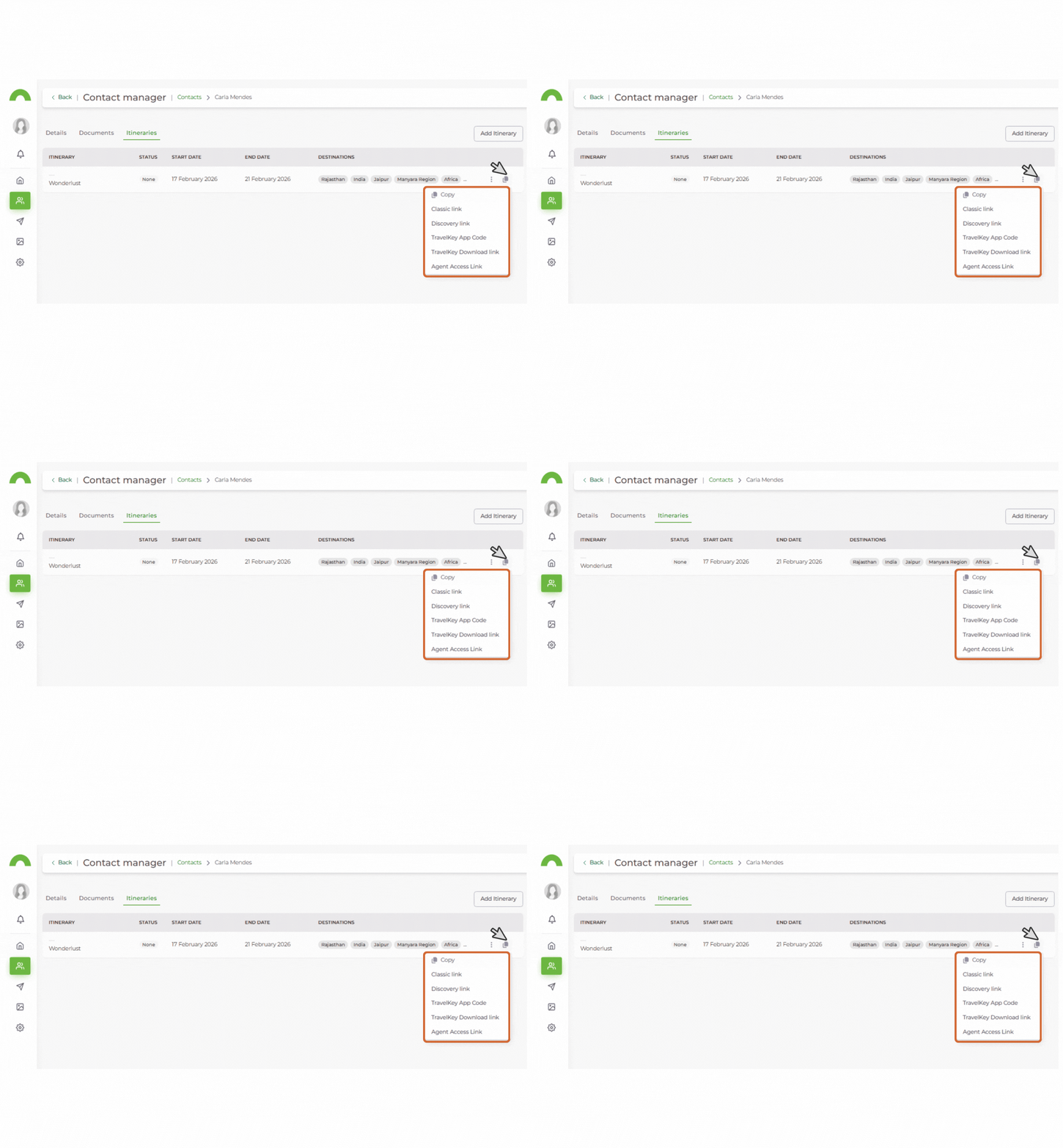
Select the copy icon on a linked itinerary to access sharing options:
- Classic Link — URL to share the itinerary in the Classic output.
- Discovery Link — URL to share the itinerary in the Discovery output.
- Travelkey App Code — code for your traveller to view the itinerary in the Travelkey app.
- Travelkey Download Link — download link for the Travelkey app
Step 7
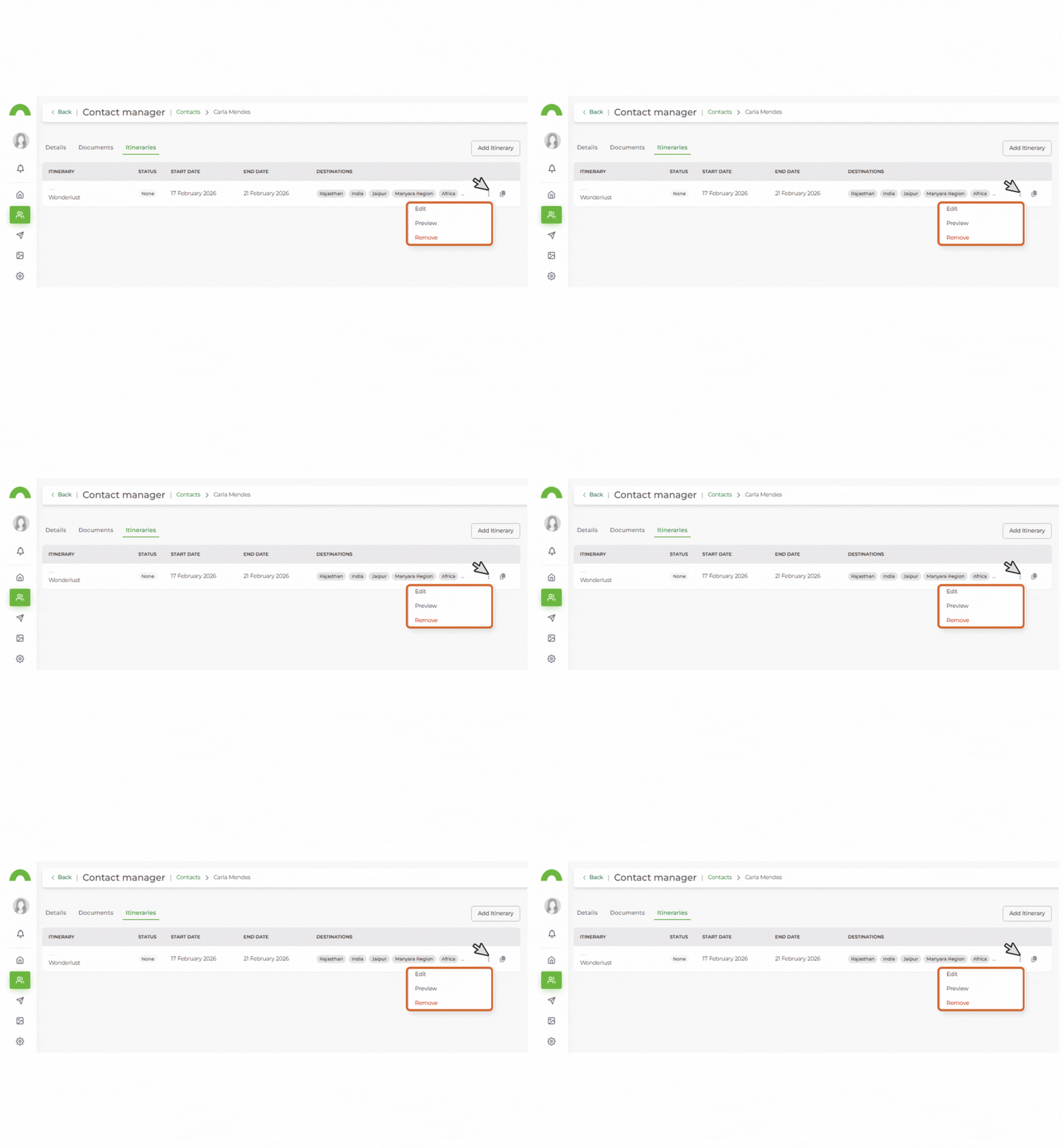
Select the three-dot menu on a linked itinerary for additional actions:
- Edit — opens the itinerary in the Itinerary Builder.
- Preview — view the digital itinerary before sharing.
- Remove — unlinks the itinerary from the contact's profile.
Need Help?
- Support: support@wetu.com
- Live chat: Available in your dashboard