
Quick Links
- Select a destination in the Accommodation step
- Set a preferred default destination
- Need Help?
Select a destination in the Accommodation step
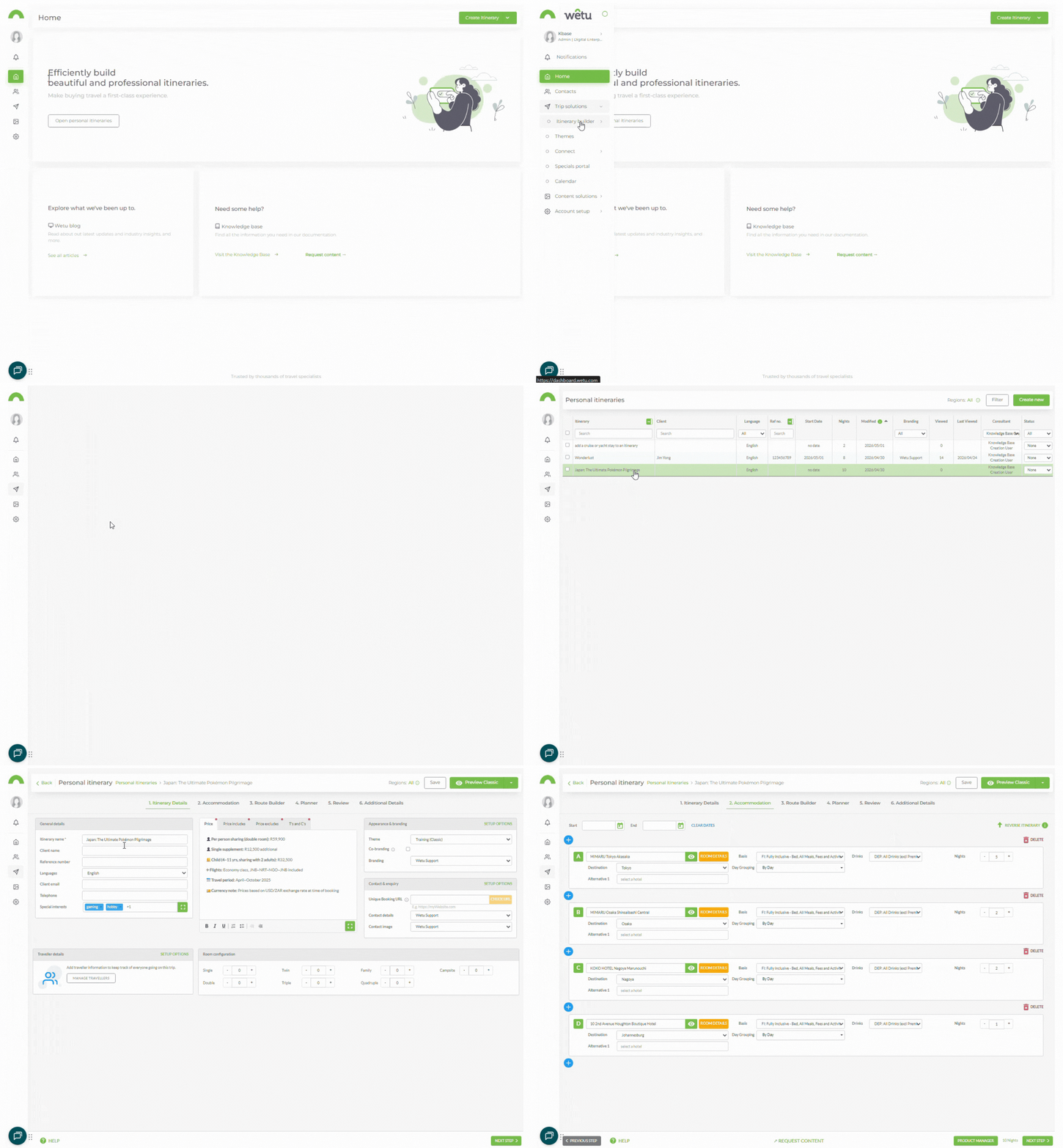
1. Open your itinerary and navigate to the Accommodation step.
2. Click the Destination dropdown next to the accommodation.
3. Select the destination from the available options.
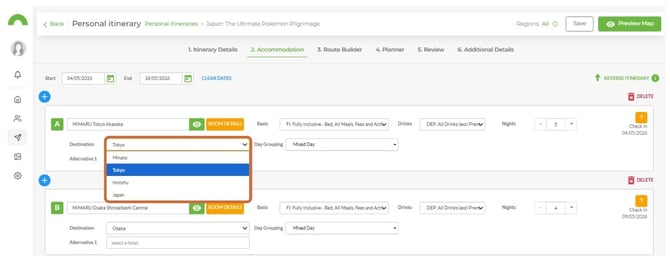
Note: The selected destination determines the images and descriptions that display on your itinerary outputs. Select the destination closest to the accommodation where possible.
4. Repeat this process for each accommodation entry that requires a different destination.
Set a preferred default destination
You can set a default destination per supplier in Account Settings so it populates automatically when that supplier is added to an itinerary.
1. Navigate to Account Settings.
2. Click the Suppliers tab.
3. Locate the supplier you want to update.
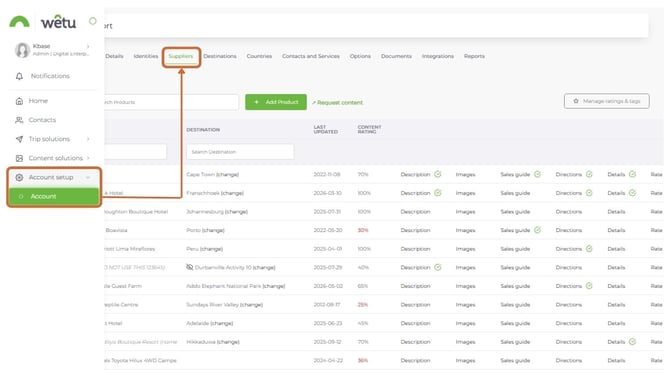
Tip: Use the Name or Destination search fields to locate a supplier quickly rather than scrolling through the list.
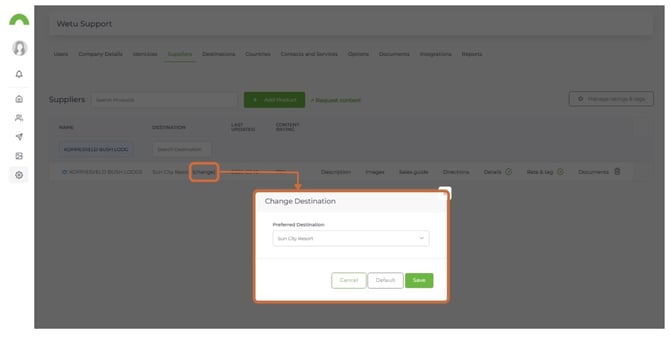
4. Click Change next to the supplier's current destination.
5. Select the new default destination from the pop-up.
Need help?
- Contact Support: support@wetu.com
- Live Chat: Available on your Dashboard