
Quick Links
- Where social media links appear
- Adding your social media links
- Getting the format right
- Testing your links
- Need help?
Caution: Admin rights needed.
Social media links
Adding your social media links in Wetu lets clients open your pages directly from their digital itineraries and iBrochures.
Where social media links appear
Once added, your social media links display in the footer of:
- Digital itineraries
- iBrochures

Note: Social media links do not appear on Virtual Itineraries. Virtual Itineraries do not display contact information or social media options.
Adding your social media links
1. In the Company Details tab, scroll to the Social Media section
2. Enter your links for each platform you use
3. Click Save
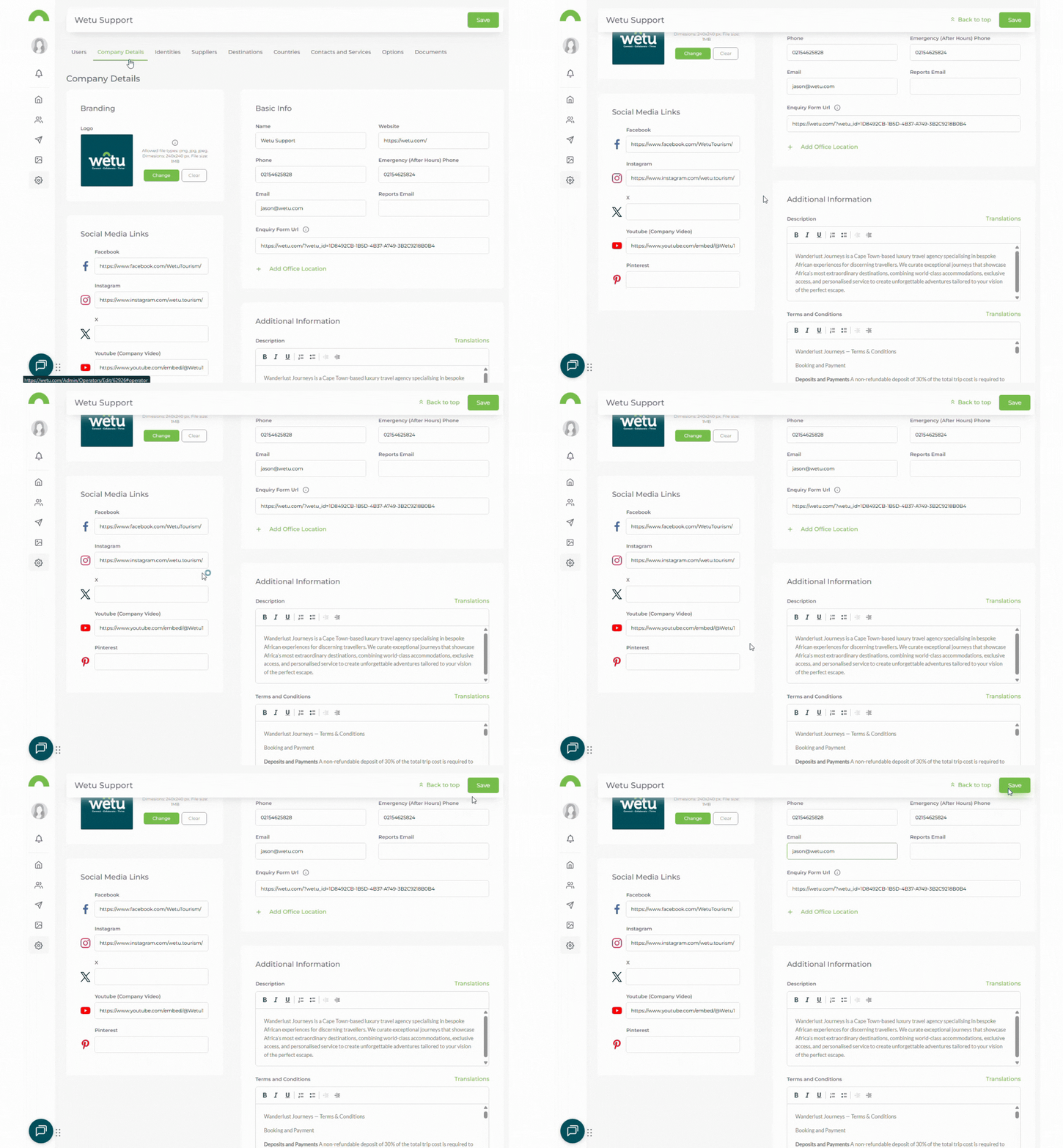
Note: Your links will appear in the footer of all digital itineraries and iBrochures.
Getting the format right
Each platform has a specific format. Using the wrong format will cause the link to break. Use these examples as a guide:
|
Platform |
Format |
Example |
|
|
Full URL |
https://www.facebook.com/yourpagename |
|
X (Twitter) |
Handle only, no @ symbol |
YourHandle |
|
|
Full URL |
https://www.instagram.com/yourprofile/ |
|
YouTube |
Full video or channel URL |
https://youtu.be/yourvideoID |
|
Pintrest |
Full URL |
https://za.pinterest.com/yourprofile/ |
Tip: Copy your links directly from your browser address bar while viewing each social media page — this ensures the format is always correct.
Testing your links
Once saved, always check that your links work:
1. Open one of your digital itineraries
2. Scroll to the footer
3. Click each social media icon
4. Confirm it opens the correct page
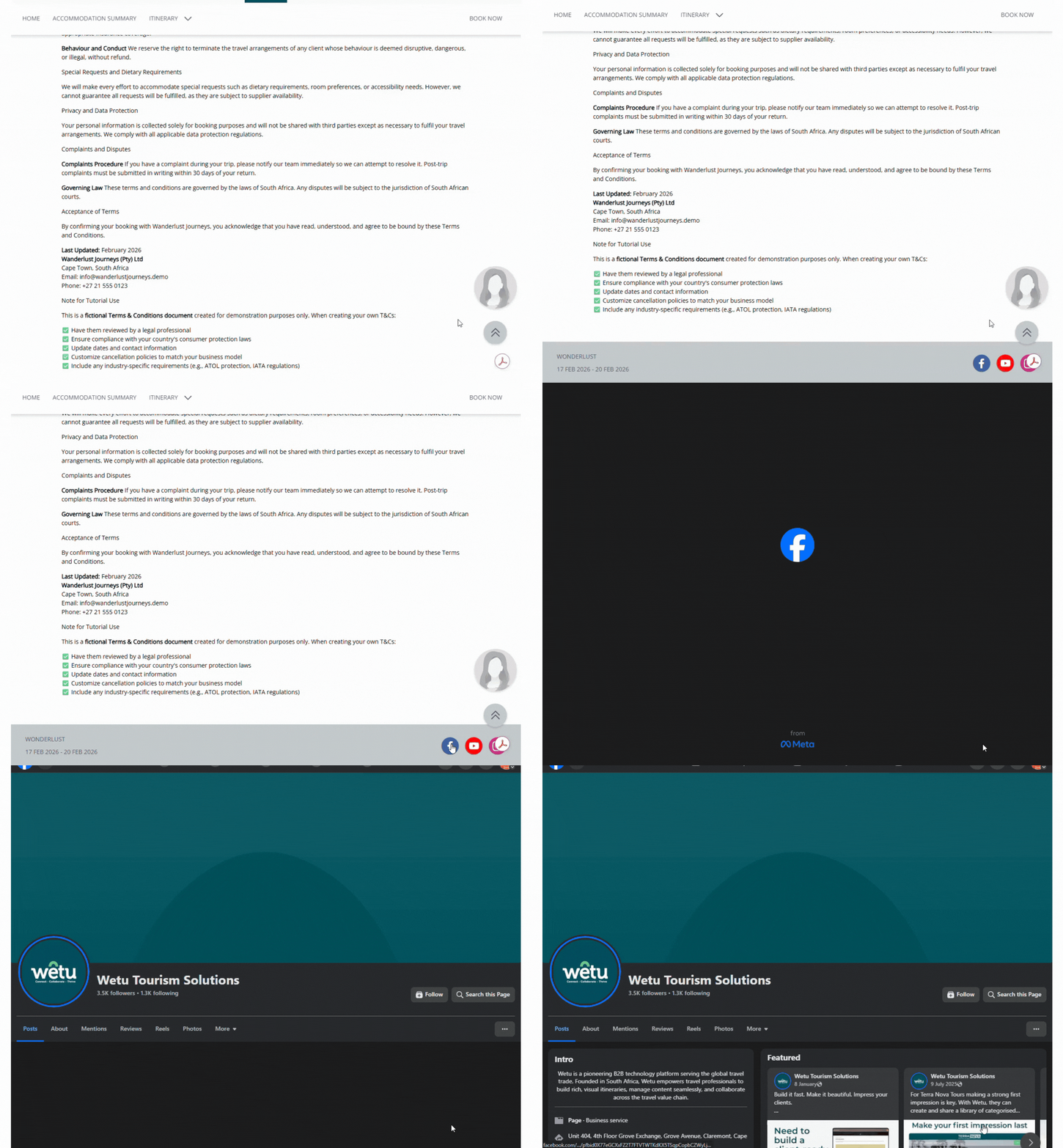
Tip: If a link doesn't work, go back to Company Details and check the format against the table above.
Need help?
- Contact Support: support@wetu.com
- Live Chat: Available on your Dashboard