
Quick Links
- Tour32 Integration Set-up
- Open Tour32 Connector
- Connect to Your Booking
- Itinerary Created Screen
- Need Help?
1. Tour32 Integration Set-up
1. Wetu will activate your Tour32 Integration and pass your FTP details to Tour32. Please provide your two-letter Tour32 Bearbeiter / User Codes to Wetu to begin.
2. Tour32 will enable the integration on your Tour32 account. Once enabled, a Wetu export button will appear in your system.
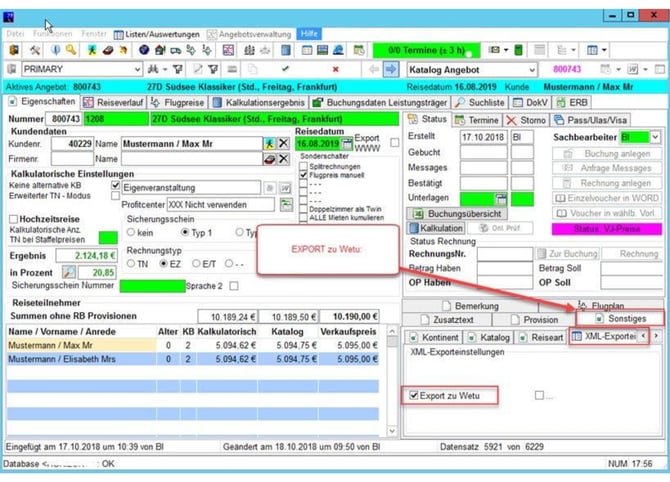
NB: Your booking needs to contain at least one Accommodation, in order to generate a Wetu Itinerary.
2. Open Tour32 Connector
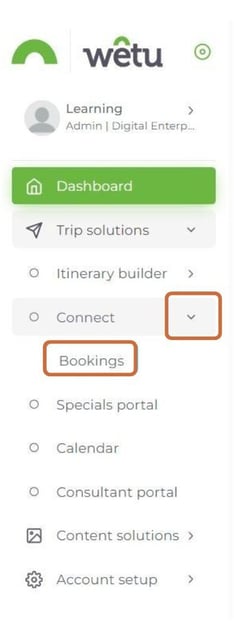
1. Log in to Wetu and navigate to your Dashboard.
2. Select Connect, then select Bookings.
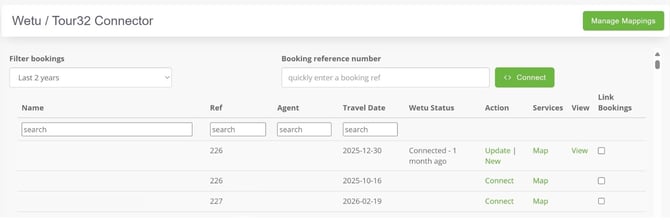
3. The Wetu / Tour32 Connector will open, displaying a list of all bookings sent to Wetu.
3. Connect to Your Booking
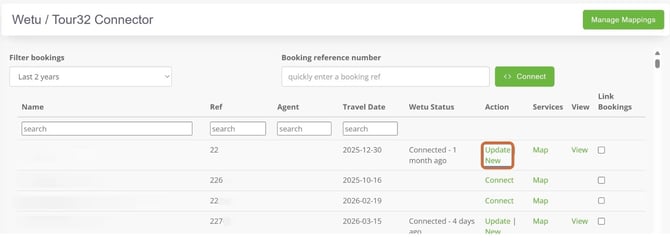
1. Select Connect next to your booking. The mapping screen containing all services for that booking will open.
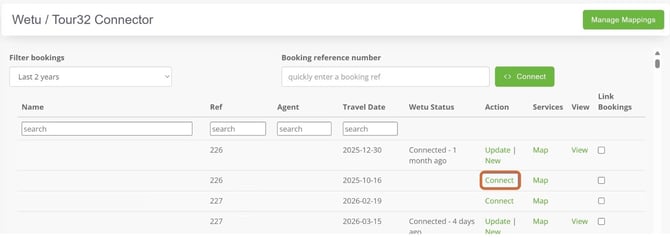
2. If you have made a change to an existing Tour32 booking and resent it, select Update for the changes to reflect in your existing digital itinerary. Selecting New will create a new digital itinerary using the existing booking.
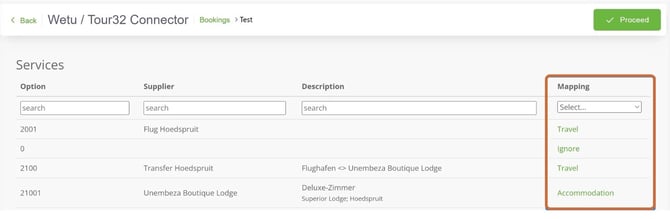
3a. The Mapping column shows how each service is mapped (e.g. Accommodation, Travel). If all services are mapped, a green Proceed button will appear in the top right-hand corner.
3b. If there are services that still need to be mapped, the Mapping column will show Map Now and an grey Skip option will appear.
3c. Select Map Now next to each service line to map it.
This document will give you more information on mapping your services.
4. Itinerary Created Screen
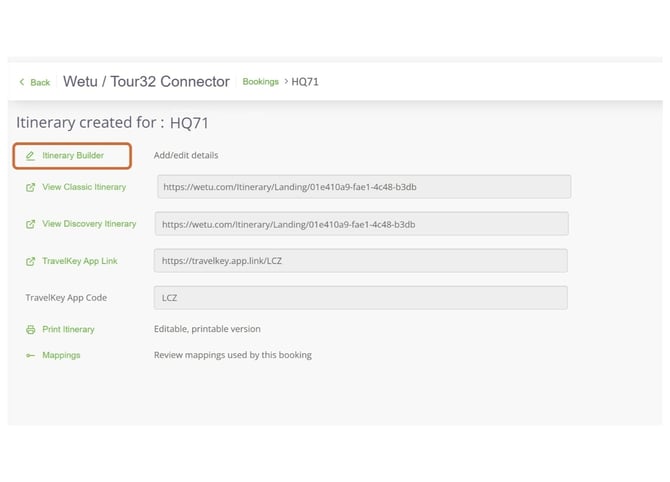
1. Once all services are mapped and you have selected either the green Proceed or the grey Skip option, the system will generate your itinerary and the Itinerary Created Screen will open.
2. From this screen you can select Itinerary Builder to open and edit your itinerary.
For more information on Tour32, visit www.tour32.de
Need help?
For support reach out to the Wetu enterprise team.
enterprise@wetu.com