
Quick Links
- Inclusion types
- Set an inclusion type
- How inclusion types display on outputs
- Need Help?
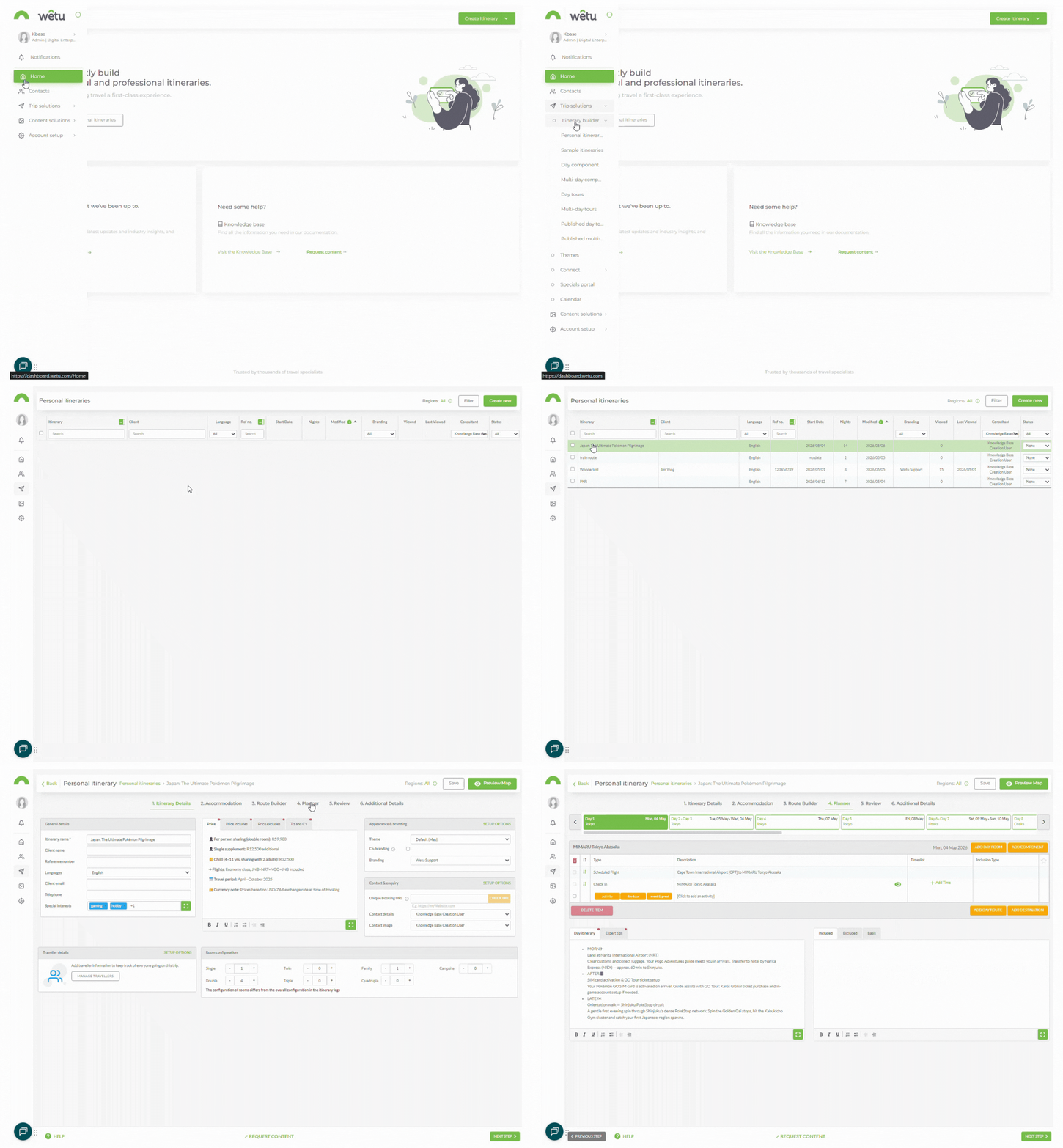
Navigating to your Itinerary Builder
Inclusion types
| Type | Description |
|---|---|
| Planned | The activity is included in the quoted cost of the package. |
| Recommended | A suggested experience for clients to consider. Recommended activities are typically not included in the cost and not arranged by you. |
| Optional | Not included in the quoted cost, but can be arranged at an additional cost for clients. |
| Information | Used for sights, attractions, or locations that travellers will pass but not necessarily visit - providing context about what they are seeing along the way. |
Set an inclusion type
1. Open the itinerary and navigate to the Planner step.
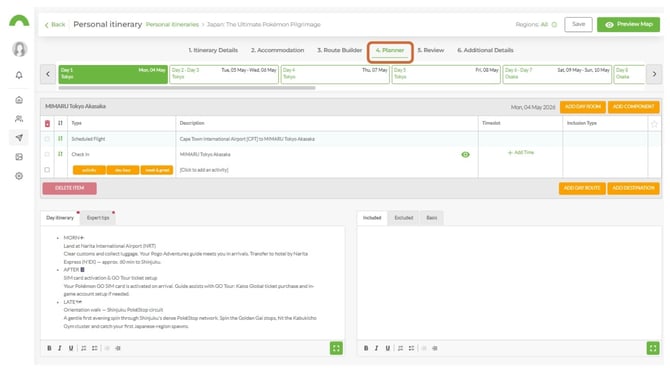
2. Locate the activity you want to update.
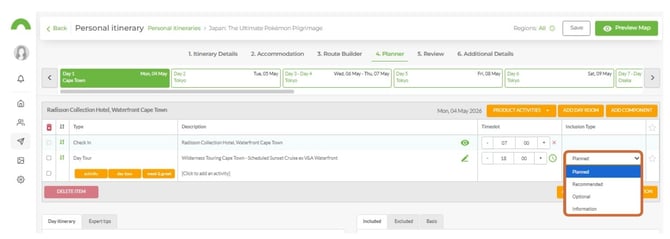
3. Click the Inclusion Type dropdown next to the activity.
4. Select the appropriate type.
Important
Planned is the default inclusion type. You will need to actively update activities that are not planned accordingly.
How inclusion types display on outputs
| Output | Where inclusion types display |
|---|---|
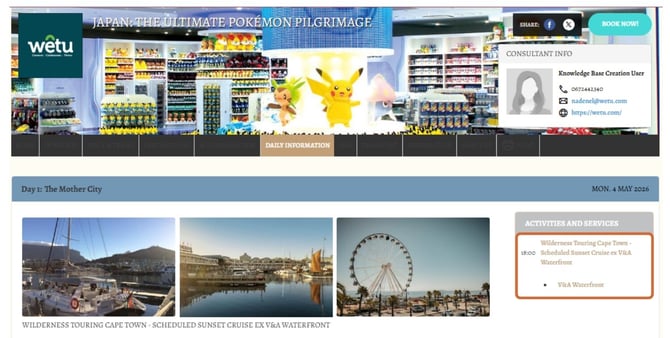
| Virtual | In the activity listing for each day |
| Discovery | In the activity listing for each day |
| Classic | In the activity listing for each day |
Visual - Recommended Activity toggled
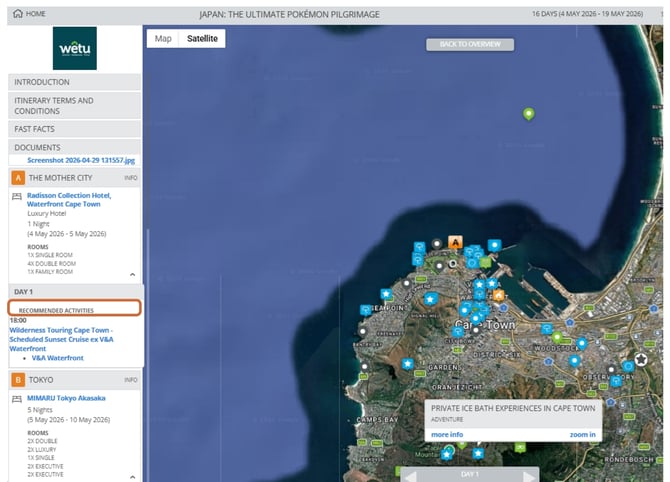
Discovery - Optional Activity toggled
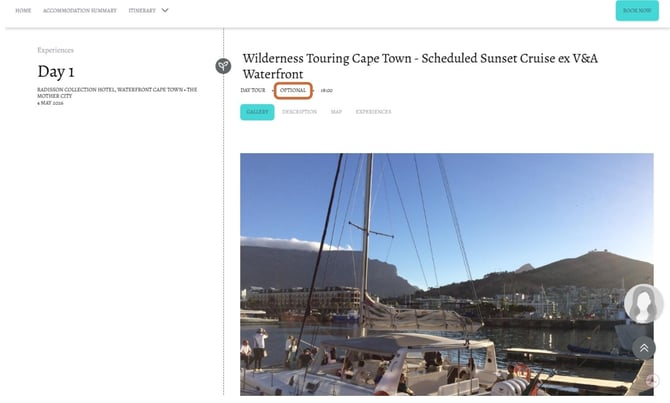
Classic - Planned Activity toggled
Need help?
- Contact Support: support@wetu.com
- Live Chat: Available on your Dashboard