
Quick Links
- Set up viewing notifications
- Notification options
- Who receives notifications
- Geolocation information
- Notifications per user
- Notifications per identity
- Need help?
Set up viewing notifications
-
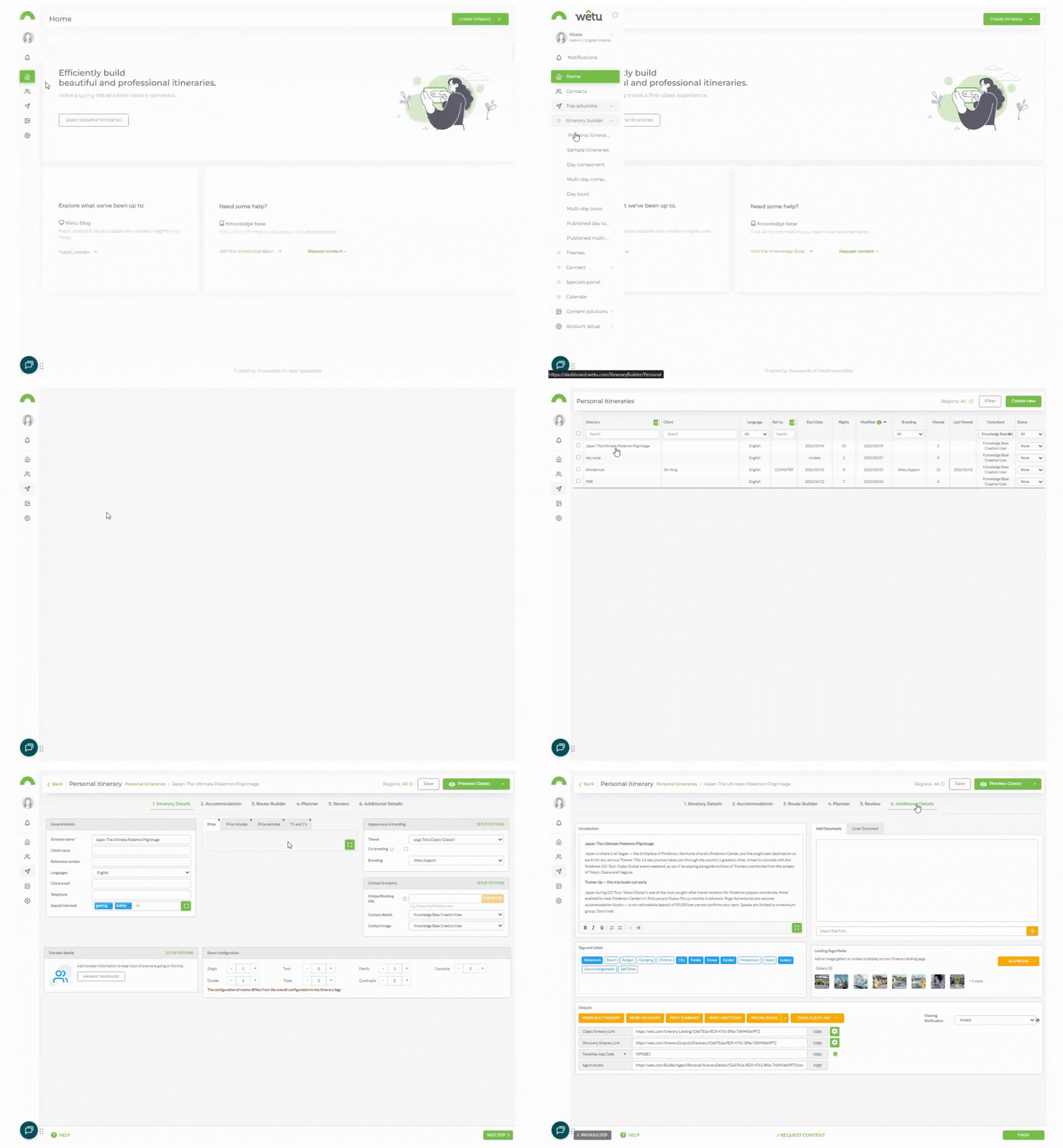
Open the itinerary in the Itinerary Builder and navigate to Step 6: Additional Details.
-
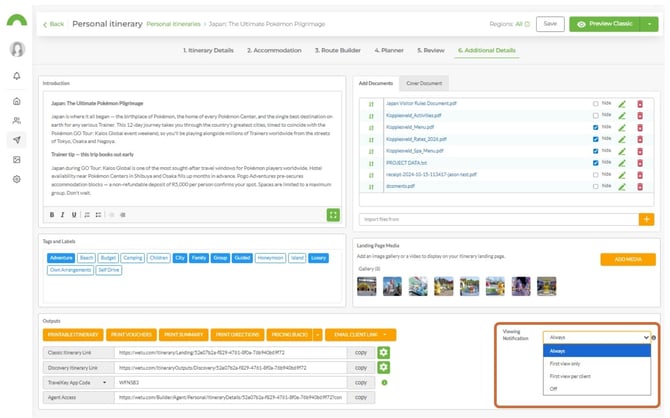
Locate the Viewing Notifications dropdown in the bottom right of the screen.
-
Select the notification frequency you want.
Notification options
| Option | Description |
|---|---|
| Always | A notification is sent every time the itinerary is viewed - including the 2nd, 3rd, and subsequent views by the same client. |
| First View Only | A notification is sent only the first time the itinerary is viewed. Use this when sending to a single client and you only need to know they opened it. |
| First View per Client | A notification is sent the first time the itinerary is viewed on each different browser. Use this when sending to a group and you want to confirm all clients have viewed it. |
| Never | No view notifications are sent. |
Who receives notifications
Viewing notifications are sent to the email address of the user who created the itinerary. The following rules apply:
- If an identity is used (a rebranded itinerary), the notification is sent to the user who created the itinerary AND the email address on the identity.
- If no email address is set under the user details, the company email address is used instead.
- If no email address is entered anywhere, no notification is sent.
When notifications are triggered
On a Digital Itinerary, a notification is sent when the landing page is clicked. Opening a link to any other page does not trigger a notification.
On a Virtual Itinerary, the client must actively interact with the itinerary (e.g. click on something) - simply opening or scrolling over it is not sufficient.
back to top
Geolocation information
Notification emails include geolocation information showing where the itinerary was viewed. Note that IP address geolocation is not exact - the client's internet service provider may route traffic through servers in a different area or country, which can produce unexpected location results.
Notifications per user
1. Navigate to Account Setup › Account in the navigation panel.
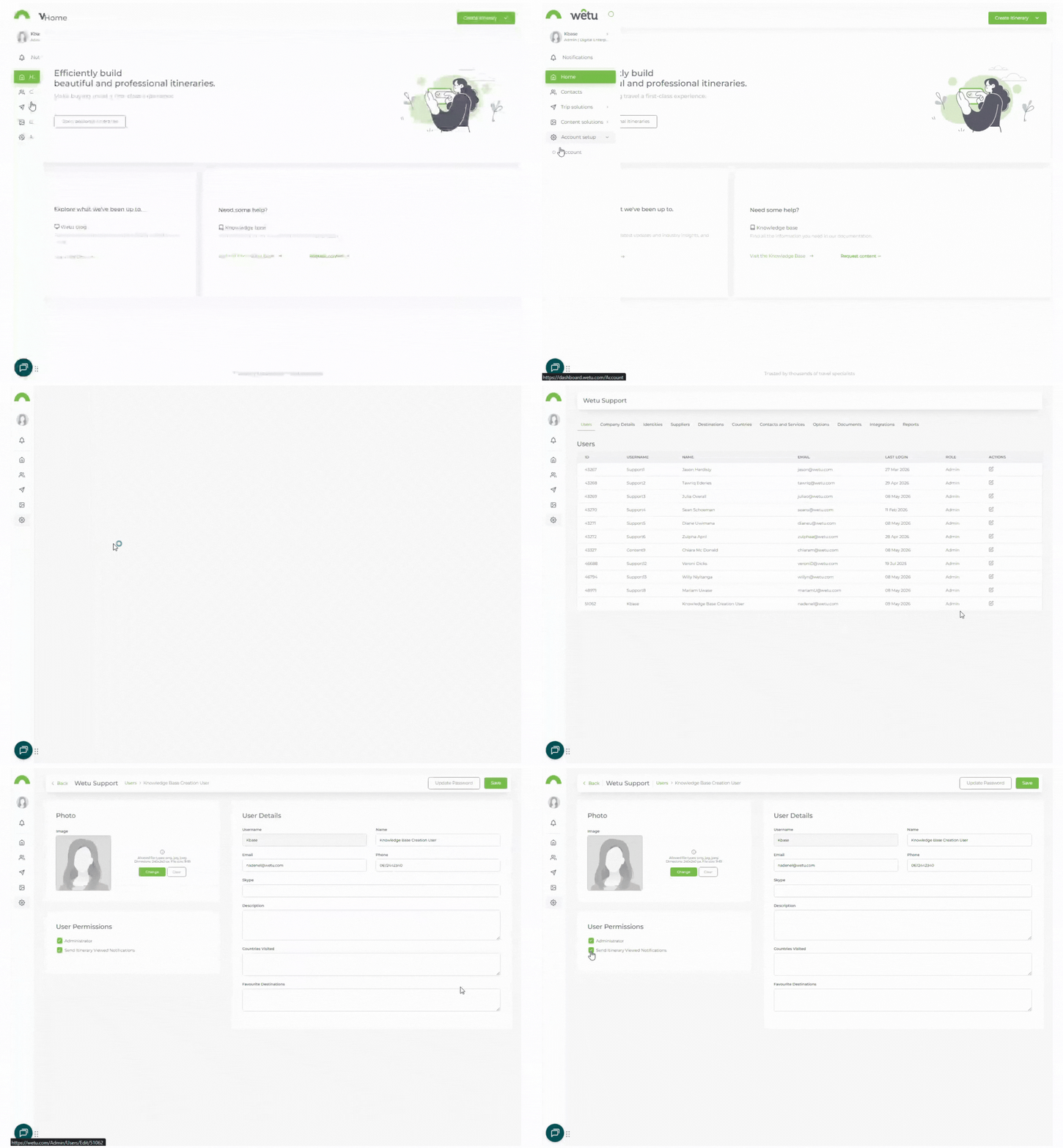
2. Click theUsers tab.
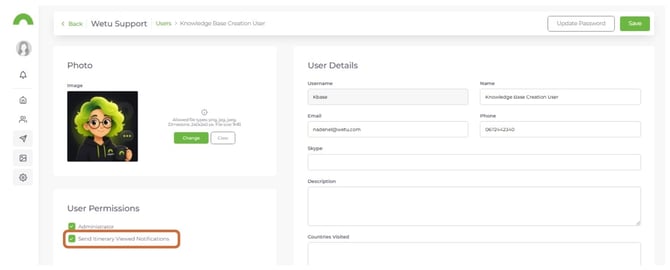
3. For each user, tick or untick Send Itinerary Viewed Notifications.
4. This setting applies to all itineraries created by that user.
Notifications per identity
Note: Not all packages include identity-level notification settings. Check that this feature applies to your package.
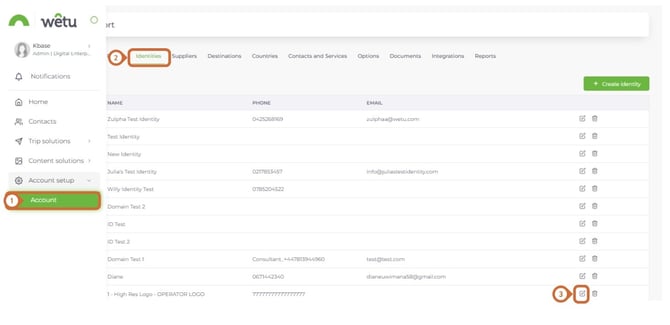
1. Navigate to Account Setup › Account.
2. Click the Identities tab.
3. Click Edit on the identity you want to update.
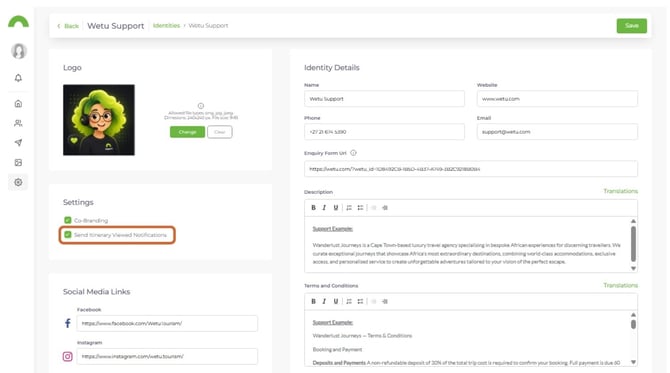
4. In the Identity Settings tab, tick Send Itinerary Viewed Notifications to enable, or untick to disable.
5. This setting applies to all itineraries using this identity. Notifications will be sent to the user who created the itinerary and the email address on the identity.
Need Help?
- Contact Support: support@wetu.com
- Live Chat: Available on your Dashboard