
Quick Links
- Overview
- Contact Details
- Location
- Responsible Tourism
- Need Help?
Note: Sections with no content stored in the profile are hidden automatically. If a section does not appear, it means no content has been added for that field yet.
Overview tab
The Overview tab is the first thing a trade partner sees when they open a Trade Profile link.
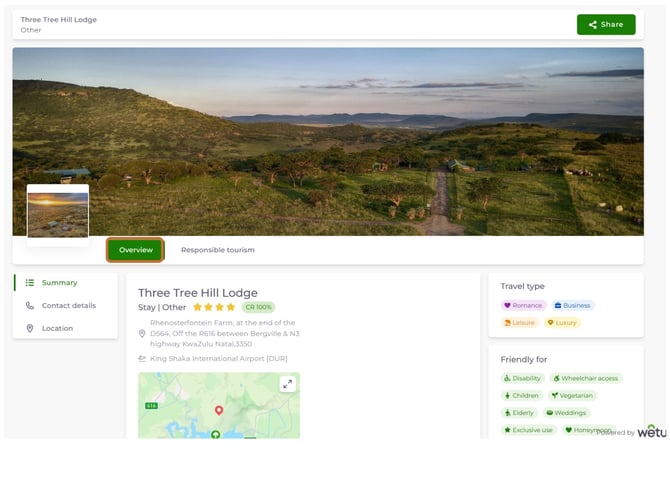
Header area
- Property name
- Profile type (e.g. Stay | Other)
- Star rating
- CR% (Content Rating) badge
- Physical address
- Nearest airport
- Map
- Reservations and front desk phone numbers
- Link to full contact details
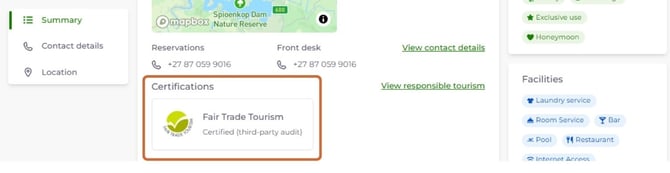
Certifications
Verified certification logos appear here, along with the certification name and audit type.
Selling points
A summary of the property's key selling points, organised by traveller type.
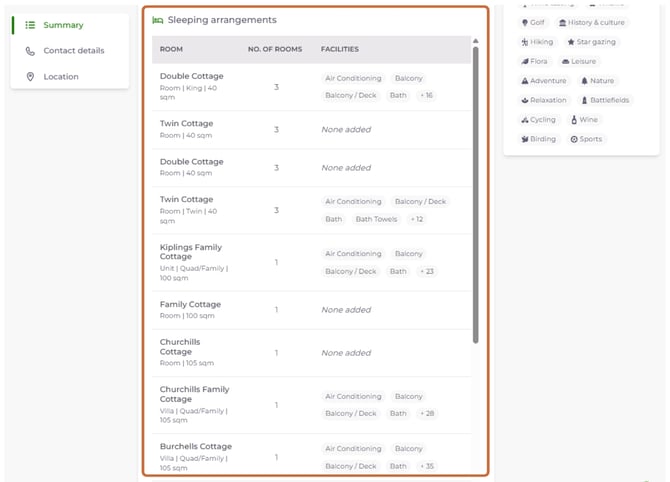
Sleeping arrangements
A table listing each room type, the number of rooms, and room facilities.
Activities
Expandable sections listing available activities with descriptions.
Restaurants
Expandable sections listing on-site and nearby restaurants with details.
Right sidebar
| Field | What it shows |
|---|---|
| Travel type | Tags such as Romance, Business, Leisure, Luxury |
| Friendly for | Tags such as Children, Wheelchair access, Elderly, Weddings |
| Facilities | Tags such as Pool, Bar, Restaurant, Internet Access, Laundry service |
| Languages spoken | Languages listed on the supplier profile |
| Special interests | Tags such as Wildlife, Hiking, Wine tasting, Birding |
Contact Details tab
The Contact Details tab shows all direct contact information for the property.
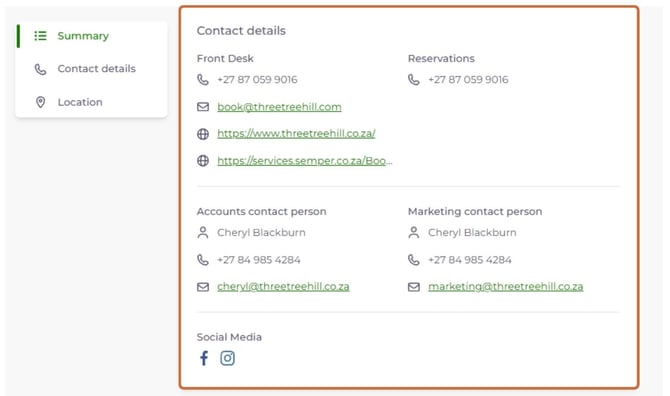
- Front desk phone number
- Reservations phone number
- Email address
- Website URL
- Online booking URL
- Accounts contact person (name, phone, email)
- Marketing contact person (name, phone, email)
- Social media links (Facebook, Instagram, etc.)
Location tab
The Location tab gives trade partners the detail they need to plan travel to and from the property.
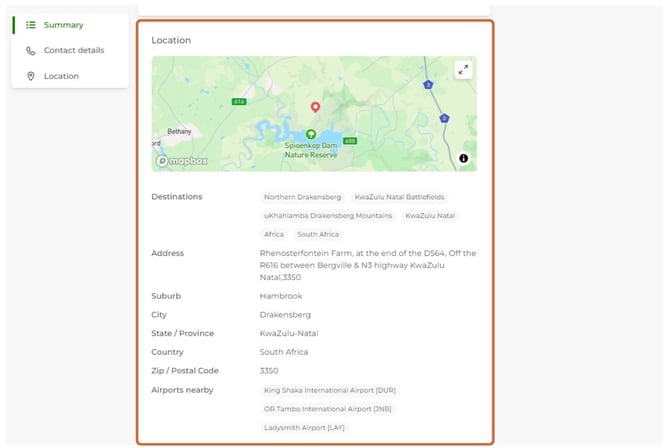
Address and destinations
- Destination tags (e.g. Northern Drakensberg, KwaZulu Natal Battlefields)
- Full address including suburb, city, province, country, and postal code
- Nearest airports with IATA codes
Directions
Expandable directions from multiple starting points, such as nearby airports, lodges, and towns.
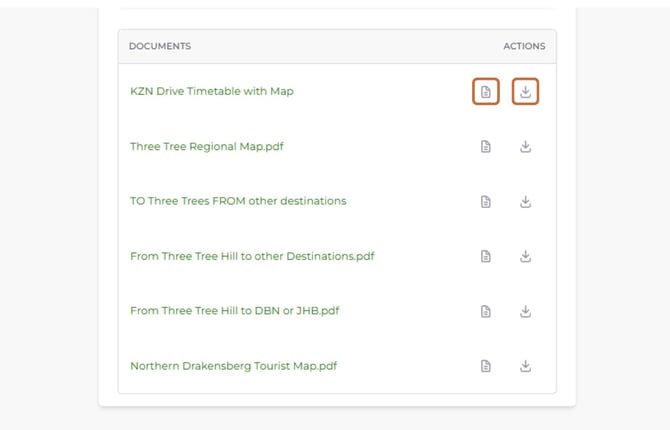
Documents
Downloadable PDF documents such as maps, drive timetables, and route guides.
Responsible Tourism tab
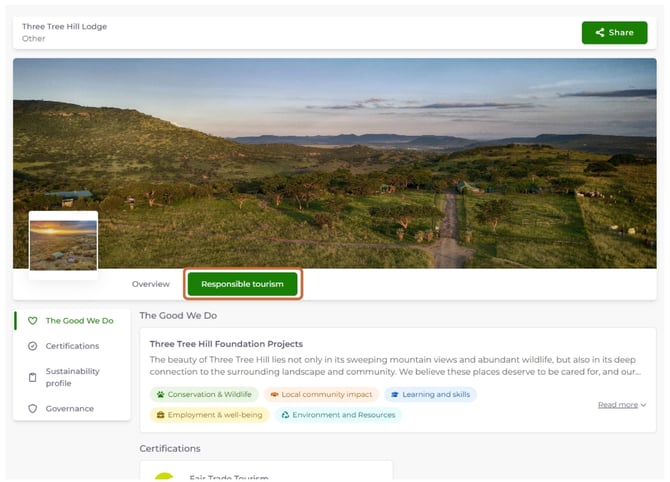
The Responsible Tourism tab displays the supplier's sustainability information and any verified certifications.
Note: Certification logos only appear for schemes that Wetu has verified and that are currently valid. A completed sustainability profile alone does not produce a logo.
Need Help?
Email us: support@wetu.com
Chat to us Live from your dashboard