Quick Links
- What is Good We Do?
- Where the content comes from
- What each initiative includes
- Which profile tier benefits from GWD
- Viewing GWD in Product Manager
- Viewing GWD in iBrochure
- Sustainability and GWD on Discovery
- Sustainability certification label
- The Good We Do tab
- Frequently asked questions
- Need help?
What is Good We Do?
The environmental and community initiatives suppliers already capture in the Profile Editor (Core and Professional profiles) surface in three places:
- Product Manager: Trade partners can view a profile's Good We Do (GWD) initiatives and see at a glance which profiles have GWD filled in, via an icon.
- iBrochure: Travellers and the trade can engage with and support these initiatives when viewing the iBrochure.
- Discovery Output: The trade can showcase a property's sustainability certifications and Good We Do projects directly in the itinerary timeline and accommodation detail.
Where the content comes from
The Profile Editor is the single source of truth. GWD information pulls directly from the Profile Editor for Stay profiles only. What appears in Product Manager and iBrochure mirrors exactly what was filled in the Profile Editor: headings, copy, images, videos, and links.
Note: If content ever looks wrong, check the Profile Editor first.
What each initiative includes
- Name (required)
- Mission (required)
- Project type (required)
- Impact
- Link
Which profile tier benefits from GWD
| Profile tier | What's included |
|---|---|
| Professional | All initiative details, plus up to 60 images and up to 60 videos |
Viewing GWD in Product Manager
Why are we displaying the GWD here? Having the GWD as part of the Responsible Tourism columns enables the trade to discover, access, engage, and compare products when looking at who to sell and use in proposals.
Tip: The trade can double-click the column header to move the profiles that have Responsible Tourism to the top of the table.
1. Search and locate the Core or Professional profile in Product Manager.
2. Scroll the column bar to Responsible Tourism.
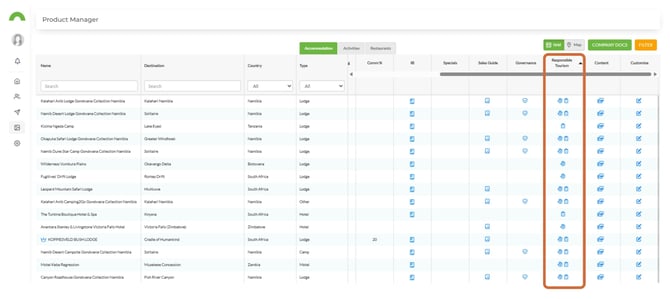
3. If a profile has GWD, its icon will be visible.
4. Select the GWD icon to open a modal showing all the saved initiatives and content as saved in the Profile Editor.
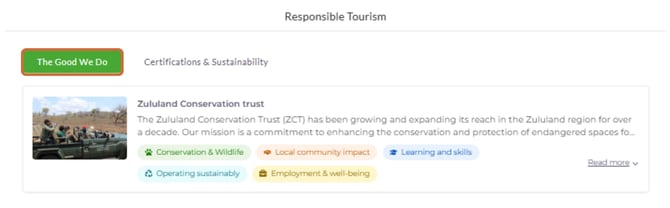
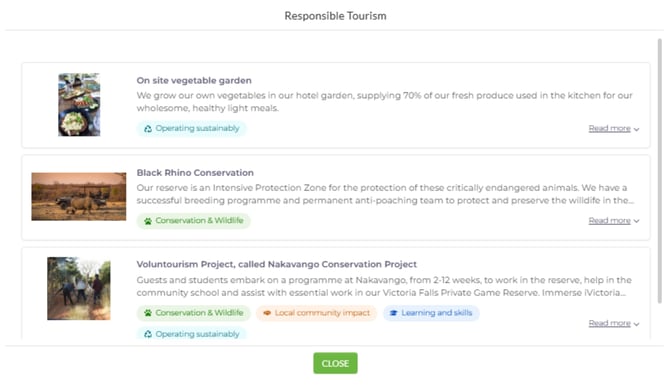
5. Profiles with no GWD content will not show the section.
Viewing GWD in iBrochure
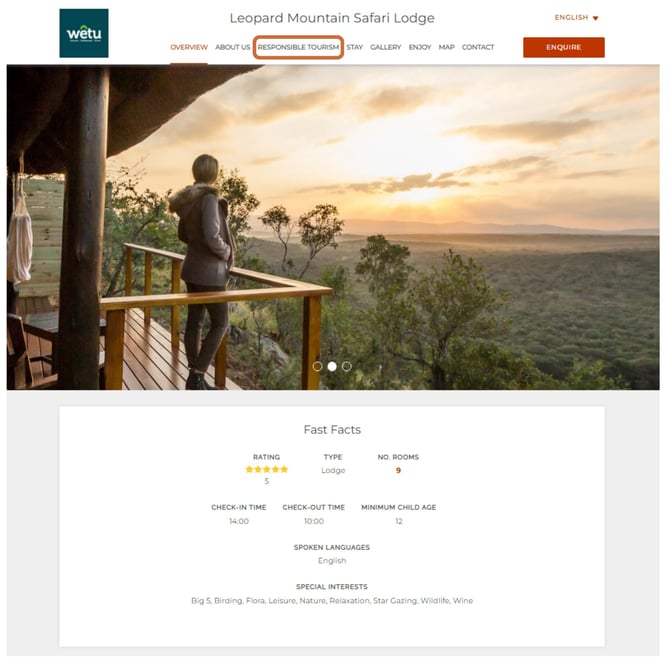
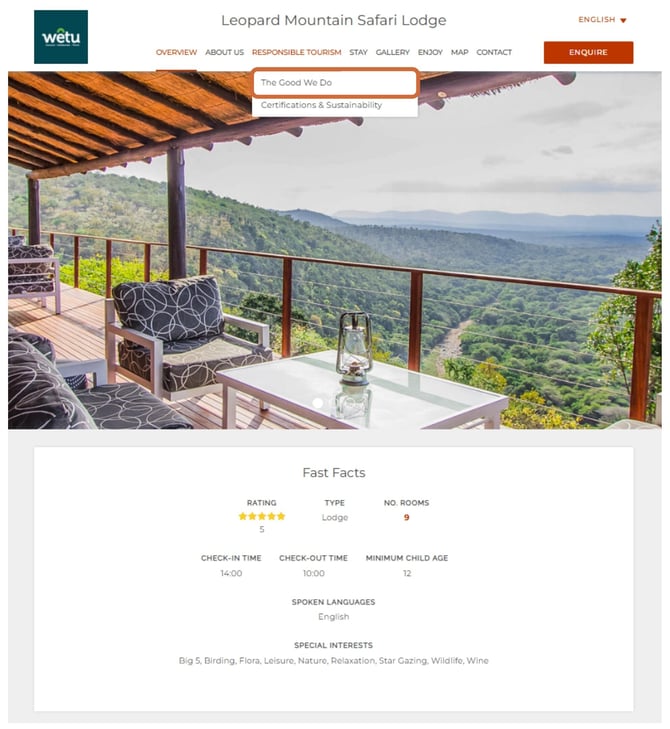
1. Access the iBrochure and navigate to the Responsible Tourism tab.
2. Access the Good We Do section.
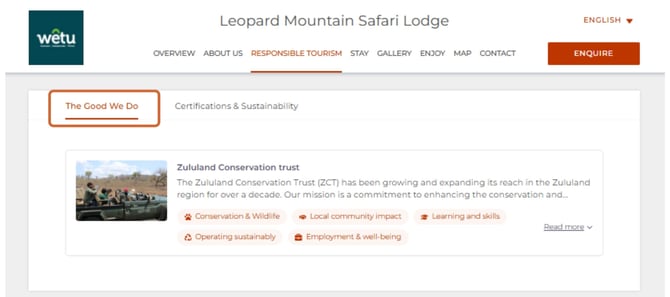
3. Each initiative shows its mission, impact, and links, with images and videos where the supplier has added them.
4. Profiles with no GWD content will not show the section.
Sustainability and GWD on Discovery
Why are we displaying this in Discovery? Surfacing sustainability certifications and Good We Do initiatives directly in the Discovery itinerary output lets the trade showcase a property's responsible-tourism credentials to travellers at the point of proposal, without leaving the itinerary.
Note: Good We Do content pulls from the Profile Editor (Stay profiles) and sustainability certifications pull from the property's sustainability profile. Discovery mirrors what is saved there. If something looks wrong, check the source first. Empty content is hidden by design.
Sustainability certification label
Timeline / day-to-day slider view
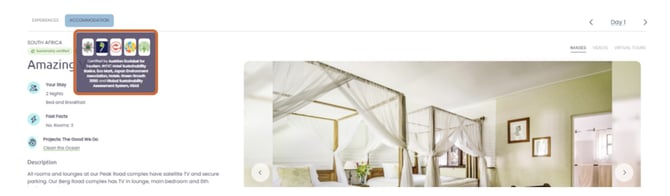
- In the Discovery timeline and day-to-day slider accommodation view, certified properties show a small green label above the accommodation name.
- The label wording is count-aware: it reads Sustainability Certification when the property holds one certification, and Sustainability Certifications when it holds more than one.
- Hovering over the label opens a popover listing each certification badge: badge logo, badge name, and certification level or type where available.
- Only certified badges appear. Badges still in progress are not shown. If a property has no certified badges, no label or hover popover appears.
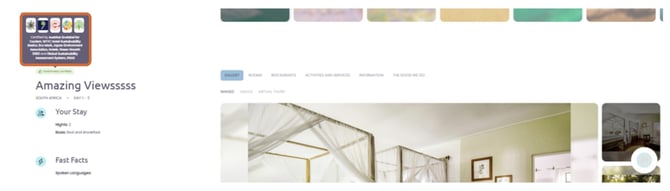
Timeline View
Day to day slider view
The Good We Do tab
Timeline view
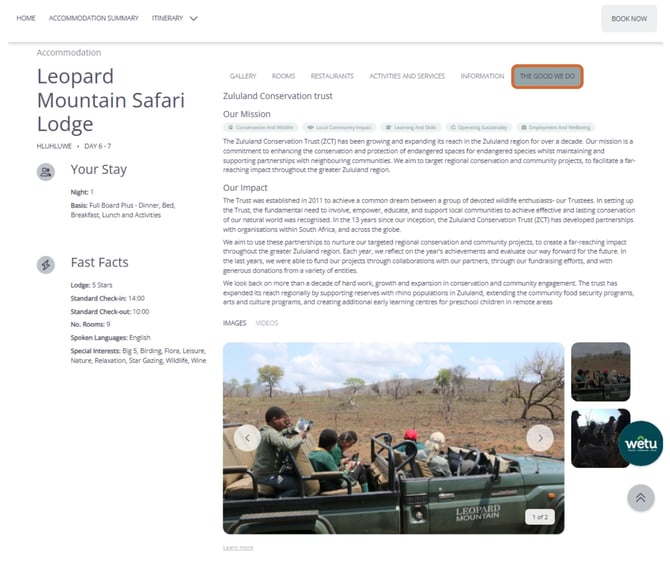
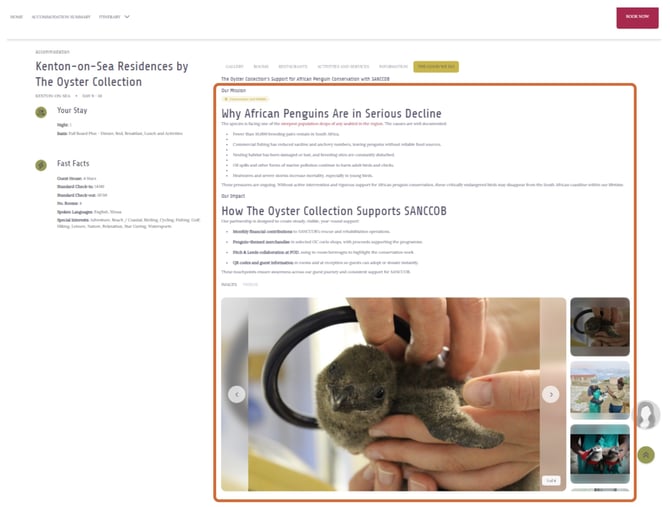
- Open an accommodation in Discovery Timeline. A new The Good We Do tab appears at the end of the accommodation tab row, for example: Gallery, Rooms, Information, Overview, The Good We Do.
- Select the tab to display the Good We Do content in the accommodation detail area.
- At the top, the selected project name is shown (for example, Project: Wildlife Corridor Monitoring). Where a property has multiple projects, a dropdown lets the user switch between them and the content below updates accordingly. With a single project, the name shows without a dropdown.
- Each project displays Our Mission (with a project-focus label), then Our Impact, then Images / Videos media tabs (Images selected by default).
- The tab is hidden for properties with no Good We Do data, and individual sections (mission, impact, focus label, media tab) are hidden when their content is empty.
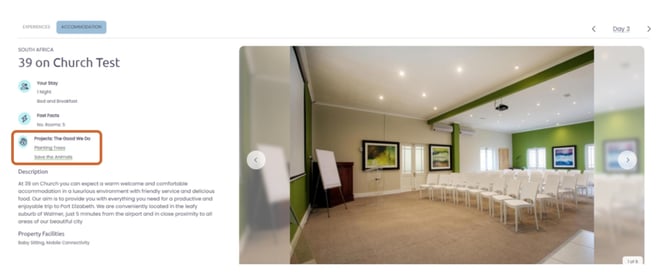
Day-to-day slider view
1. Select the accommodation tab in the Discovery day-to-day slider. A new project icon labelled The Good We Do appears under the accommodation info, with project names listed for the user to select.
2. Once selected, a pop-up modal appears. Where a property has multiple projects, a dropdown lets the user switch between them and the content below updates accordingly. With a single project, the name shows without a dropdown.
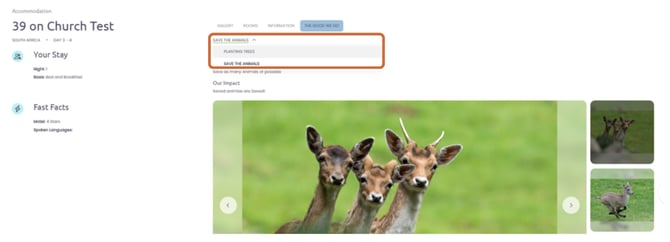
3. Each project displays Our Mission (with a project-focus label), then Our Impact, then Images / Videos media tabs (Images selected by default).
Frequently asked questions
|
Do I have to complete the Sustainability Profile before I can add Good We Do projects? No. You do not have to complete the Sustainability Profile first to add Good We Do stories. These two sections are not dependent on each other. |
|
Why is there sustainability and GWD in my Discovery proposal? Sustainability or Good We Do will automatically display if the supplier has completed each section. |
|
Can I turn the sustainability and GWD off in my Discovery proposal? No, at this time it is not possible. The team is looking at incorporating it into the themes as a customisation option. |
|
My Good We Do isn't showing. Check that it's filled in under Good We Do in the Profile Editor. Empty content is hidden by design, so a missing section usually means nothing has been added yet. |
|
The content looks different or outdated. Compare it against the Profile Editor, which is the source of truth. Product Manager and iBrochure reflect whatever is saved there. |
|
How many images and videos can I add? Core: up to 6 images. Professional: up to 60 images and up to 60 videos. |
|
What's the difference between Good We Do and Sustainability? Good We Do is the partner's own initiatives (mission, impact, links). Sustainability covers certifications and the sustainability profile. Each lives under its own tab. |
|
Will Good We Do and Sustainability be included in TravelKey or Classic? Good We Do and Sustainability will be included in Classic after Discovery is completed. Inclusion in TravelKey is still being designed. |
Need Help?
Email Support: support@wetu.com
Use the live chat in your Wetu account dashboard